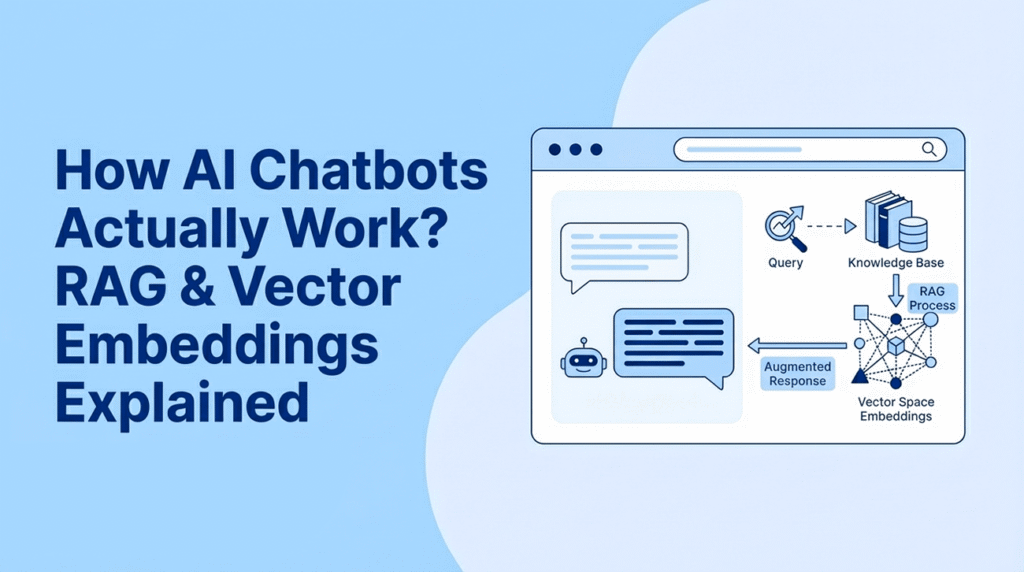
How AI Chatbots Actually Work? RAG & Vector Embeddings Explained
We don’t get impressed anymore when an AI speaks fluent English. We just get annoyed when it lies. And that is the universal challenge with large language models (LLMs). You can add a generic AI assistant to your website in five minutes, but out of the box, it knows absolutely nothing about your business.
Ask your chatbot a specific question about your products, your pricing, or your policies, and it won’t say “I don’t know.” Instead, it will confidently hallucinate an answer that sounds perfect but is completely wrong. This is the core problem every business faces when deploying AI chat on their site.
So, how do you turn a general-purpose model like GPT-5 or Gemini 3 into a specialist that actually understands your knowledge base? The answer isn’t fine-tuning or retraining the AI (that’s too slow, too expensive, and requires machine learning expertise).
The real answer is RAG (Retrieval-Augmented Generation) and vector embeddings.
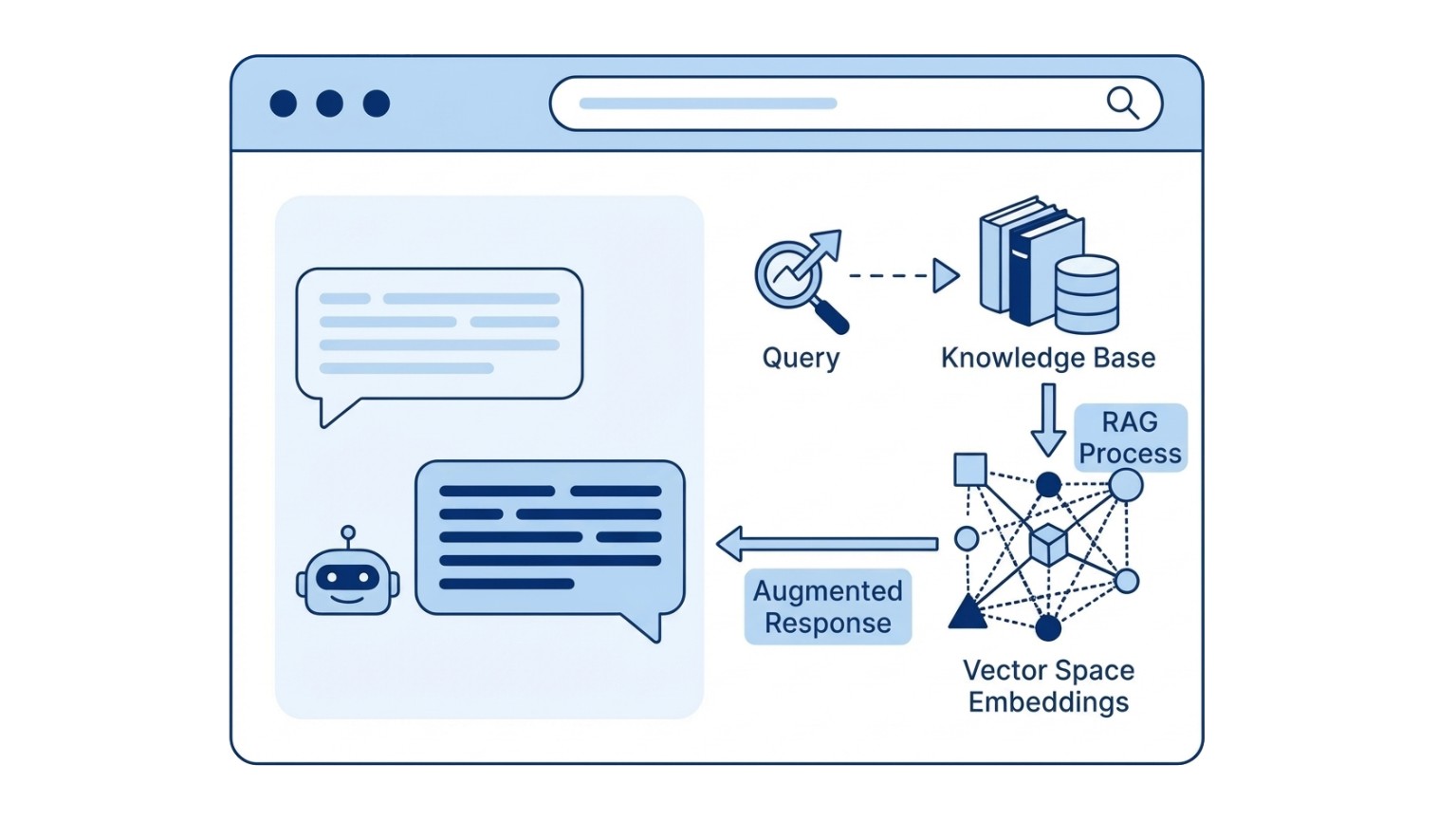
Here is exactly how it work behind the scenes:
First, Let’s Talk About Why AI Makes Stuff Up
Here’s something most people don’t realize: LLMs aren’t knowledge databases. They’re pattern-completion machines.
When you ask GPT or Gemini a question, it’s not “looking up” the answer. It’s predicting what words should come next based on patterns learned during training. The model optimizes for fluency, not accuracy. And it has no concept of “I don’t know.” It’s designed to always produce output.
So when it lacks real information? It doesn’t stop. It just keeps predicting plausible-sounding words. This is called hallucination, and studies show it happens in 30-50% of responses when chatbots are asked about specific, private information.
For website owners, this is a nightmare. Nobody wants their bot inventing features you don’t offer or quoting prices you never set.
This is the exact problem RAG was built to solve.
What is RAG?
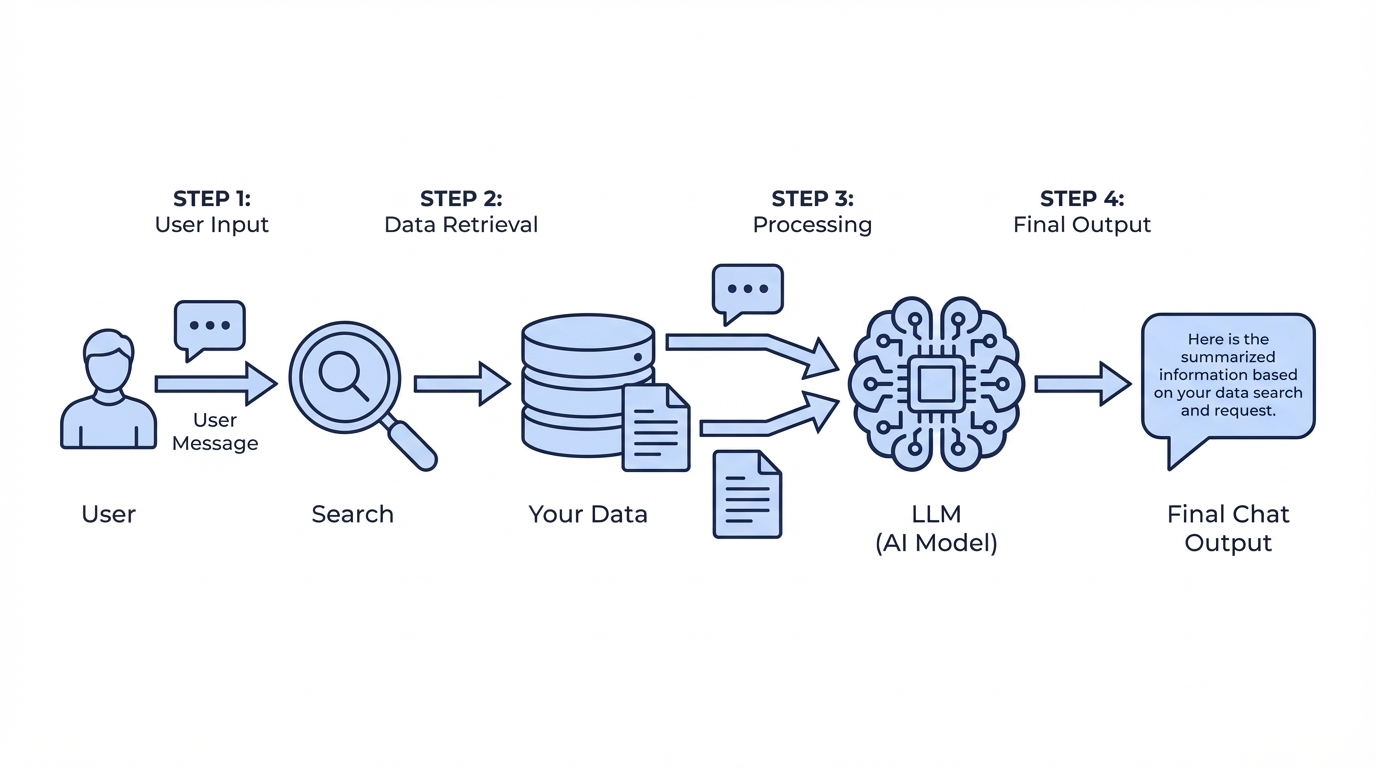
RAG stands for Retrieval-Augmented Generation. Let me break that down into plain English:
- Retrieval: Find relevant content from your website.
- Augmented: Add that content to what the AI sees.
- Generation: The AI creates an answer using your actual info.
Think of it like an open-book test. Instead of asking a student to answer questions from memory (where they might get details wrong), you hand them the textbook first. Then, they answer.
Let’s say you’re running eCommerce – here is the workflow when a visitor asks your chatbot a question:
- Visitor asks: “Do you offer same-day delivery?”
- System searches: It scans your website and finds your specific shipping page.
- Context added: That actual content is sent to the AI along with the user’s question.
- AI answers: It generates a response based only on what you wrote.
The result? Hallucinations drop by nearly to zero according to research. Some implementations hit 96% accuracy.
Vector Embeddings: How AI Actually Understands Meaning
Okay, this is where it gets interesting. How does the chatbot know which page of your website is relevant to the question? Enter vector embeddings.
When you you “train” chatbot, your website content is converted into an embeddings, it’s turning words into a list of numbers. Typically, this is around 1,536 numbers for OpenAI’s models. These numbers represent the meaning of that text in mathematical form. Why does this matter? Because similar meanings produce similar numbers.
Here’s a simplified example:
- “Comfortable seating” → [0.234, -0.891, 0.445, …]
- “Ergonomic chairs” → [0.229, -0.887, 0.451, …]
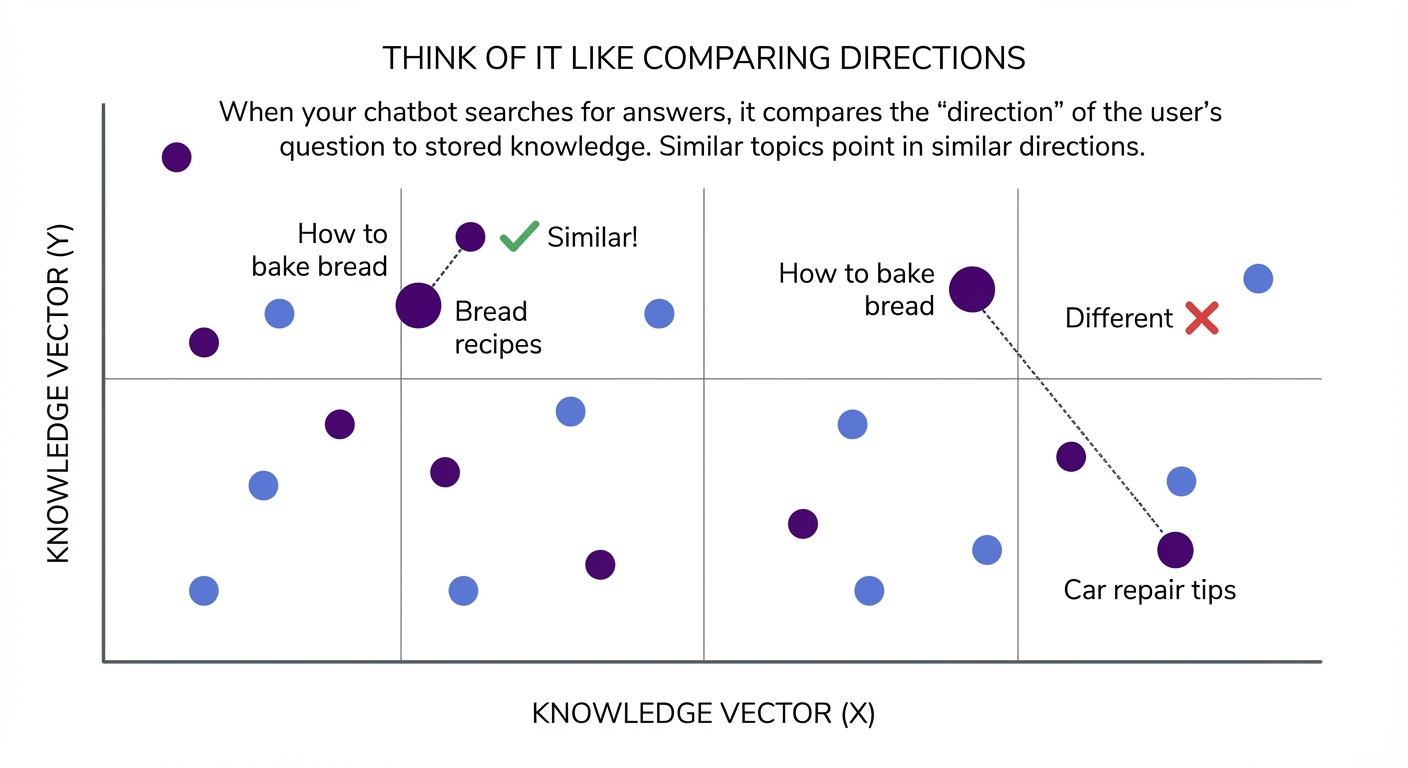
See how close those numbers are? The AI understands these phrases mean similar things, even though they share zero words in common. This is called semantic search. It finds content by meaning, not keywords.
So when someone asks “How to bake bread”, your chatbot finds content about “bread recipes” because the mathematical meaning matches.
Note: chunking – your content gets split into chunks (typically 800-1000 words each). This is crucial because if you embed e.g. an entire page 3000 words page as one giant vector, the meaning gets diluted. Smaller, focused chunks mean more precise retrieval.
How the Matching Actually Works
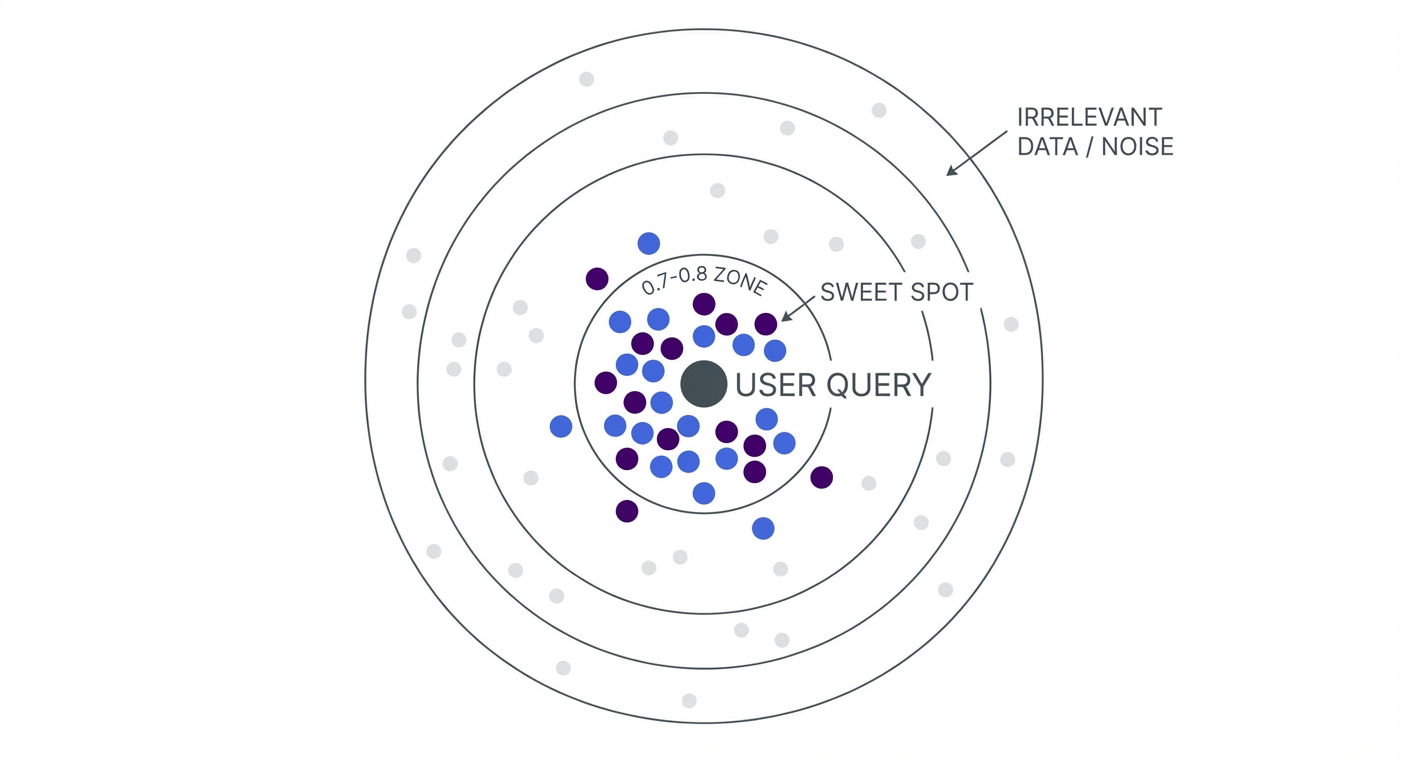
Once you have embeddings for all your website content and the user’s question, the system compares them using something called cosine similarity.
Skip the complex math. Here is what you need to know:
- Score of 1.0: Identical meaning.
- Score of 0.7-0.8: Strong match (this is the sweet spot).
- Score below 0.3: Probably not relevant.
The system grabs the top 3-10 most similar chunks of text from your website content, bundles them with the question, and sends it to the AI. The AI writes a response grounded in your actual website data. Fast. Accurate. No made-up answers.
Where Do All These Numbers Live?
Those embedding numbers need to be stored somewhere and searched quickly. You have two main options here, and this is where the cost difference comes in. This is why many WordPress site owners look for chatbot solutions without monthly fees.
Option 1: Specialized Vector Databases
Services like Pinecone, Weaviate, or Milvus are built specifically for this. They are incredibly fast (sub-50ms queries) and scale to billions of vectors. Chatbot.com or other SaaS services like Chatlab use this database.
The catch? The cost.
- Pinecone: minimum $50/month
- Weaviate Cloud: starts at $45/month.
- Privacy: You are keeping your data on third-party servers.
Option 2: Your Existing Database
Here is what most SaaS providers don’t want you to know: You can store embeddings in MySQL or PostgreSQL.
For websites with under 20.000 pages (which is basically 99% of sites), this works perfectly. You skip the external service fees and keep all data on your own server.
This is actually how our AI chatbot dedicated for WordPress plugin works. Instead of shipping your content off to Pinecone, embeddings are stored right in your WordPress database with 90% compression. Your data stays on your server most of the time (obviously except when text is sent to LLM for context to answer user questions)
Beyond Answering: When Chatbots Take Action
RAG handles questions. But what if a visitor wants to do something? “send email to website owner” or “check my order status” aren’t knowledge retrieval problems.
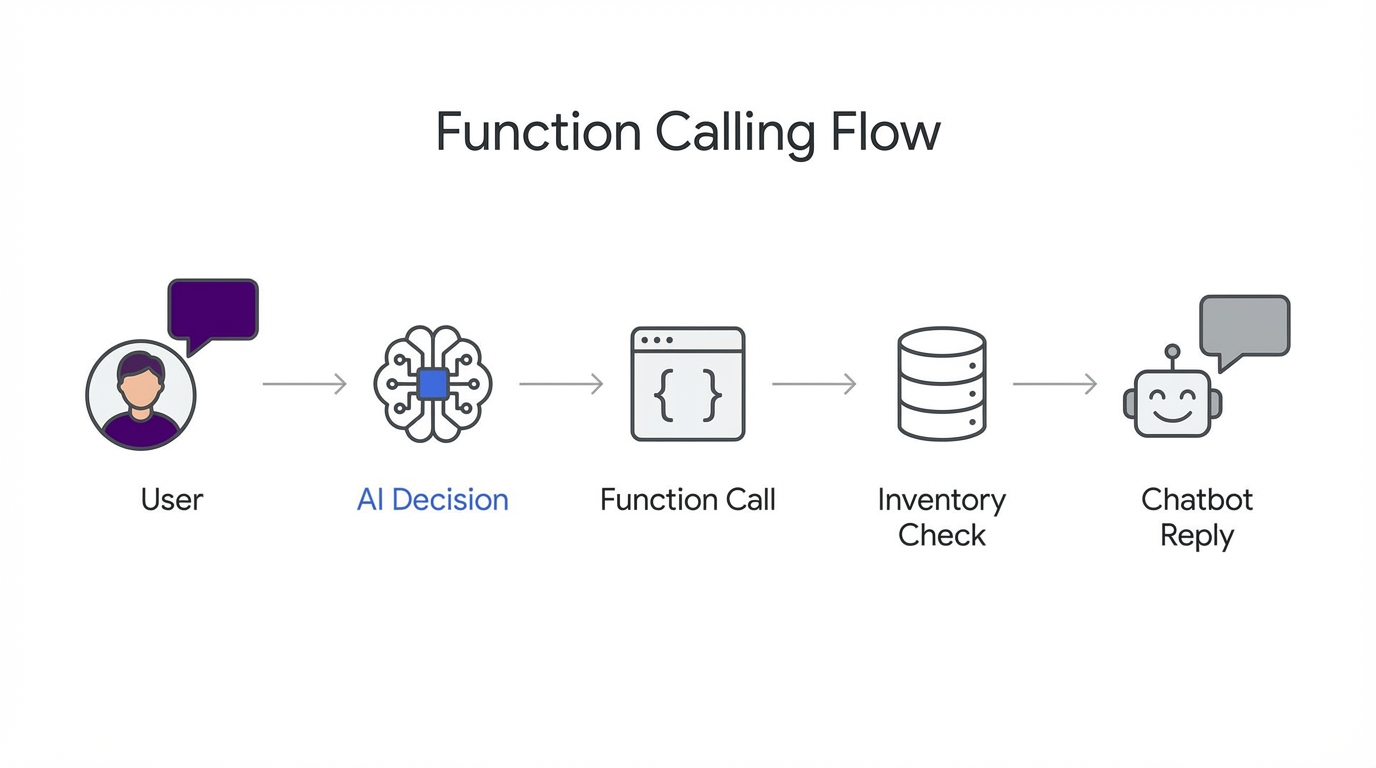
This is where function calling. Modern LLMs can decide when to call external functions instead of just generating text.
Here’s what that looks like in case of our chatbot plugin:
- Visitor asks: “Is the MacBook Pro in stock?”
- LLM recognizes that answering this requires checking shop database
- LLM calls
search_products(query="MacBook Pro", in_stock=true) - Your WooCommerce queries the actual database and sends back to LLM
- LLM formats the answer
The chatbot isn’t guessing. It’s executing actions on your behalf. This turns a Q&A bot into something closer to an assistant that can search inventory, check orders, or even send contact forms. For a practical walkthrough, see our WooCommerce AI shopping assistant guide.
Here’s how this works in our WordPress plugin
We built our WordPress AI chatbot specifically to handle RAG efficiently without the monthly SaaS costs.
Here is how we do it:
- Model Agnostic: Uses OpenAI’s text-embedding-3-small or Google’s gemini-embedding-001.
- Total Coverage: Processes your Posts, Pages, Products, and Custom Post Types.
- Local Storage: Stores compressed embeddings locally (12KB → 1.2KB per entry).
- Speed: Searches your content in milliseconds.
- Compatibility: Works seamlessly with any WordPress theme and any content type
The Bottom Line
RAG isn’t magic. It’s open-book testing for AI. Instead of letting chatbots guess about your content, you hand them the answers first.
The technical pieces (embeddings, vector search, cosine similarity) sound complex, but the concept is simple: convert meaning to numbers, find the closest match, let AI write the response.
For website owners, the practical question isn’t whether RAG works. It does. Here’s how to set it up on WordPress in 10 minutes.