ChatBot.com Alternative for WordPress Sites

If you’ve been shopping around for a chatbot.com alternative wordpress solution, you’re probably tired of seeing monthly subscription fees that can easily run into thousands of dollars per year. ChatBot.com is a powerful platform with some genuinely impressive features, but for WordPress site owners, it’s often like using a sledgehammer to crack a nut — expensive, overly complex, and not really built with WordPress in mind.
The good news? There’s a better way. In this article, we’ll take an honest look at what ChatBot.com does well, where it falls short for WordPress users, and why AI Chat & Search Pro might be the chatbot.com alternative you’ve been looking for — especially if you want a wordpress chatbot without monthly fees.
AI Chat & Search Pro: A WordPress-Native Alternative
So what makes AI Chat & Search Pro a better chatbot.com alternative for WordPress users? Let’s break it down:
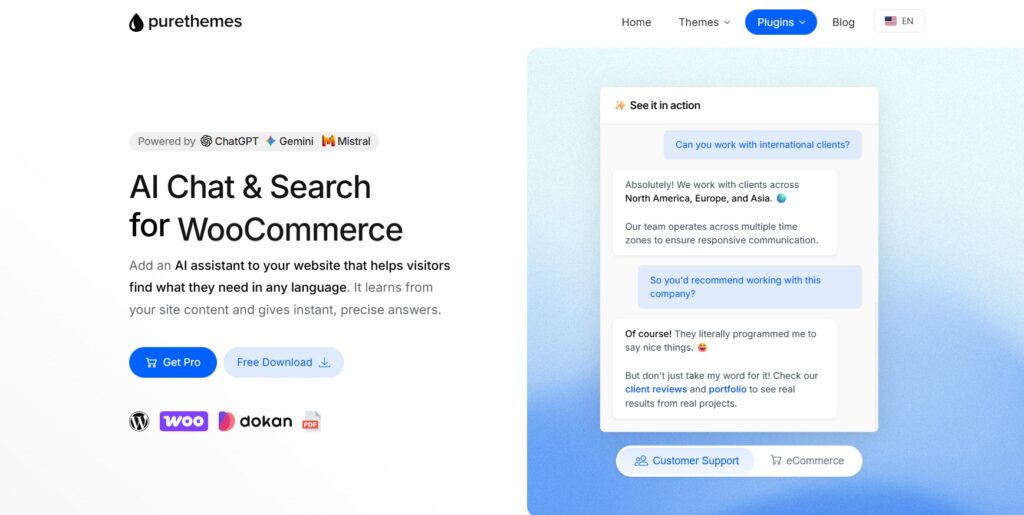
One-Time Payment, No Monthly Fees
This is the big one. Instead of paying hundreds of dollars per month to a SaaS platform, you pay once for the plugin. After that, your only ongoing cost is what you pay your AI provider directly — typically around $5 for 1,000-3,000 messages with GPT-5 Mini. For most small to medium-sized WordPress sites, that’s a fraction of what you’d pay ChatBot.com.
True WordPress Integration
AI Chat & Search Pro is built for WordPress. It understands your posts, pages, custom post types, taxonomies, and content structure. It’s not just embedding an external widget — it’s a native part of your WordPress ecosystem. Learn how to add ChatGPT or Gemini to WordPress with our step-by-step guide.
WooCommerce Product Recommendations
If you’re running an online store, this is a game-changer. AI Chat & Search Pro integrates natively with WooCommerce, so your chatbot can recommend products, understand inventory status, and help customers find exactly what they’re looking for. Check out our best AI chatbot for WooCommerce comparison to see how it stacks up.
Image & Voice Input
Users can ask questions by uploading images or using speech-to-text. This is perfect for accessibility and for sites where visual content matters (like fashion, interior design, or product support).
ChatBot.com vs AI Chat & Search Pro: Feature Comparison
Here’s how ChatBot.com stacks up against AI Chat & Search Pro, a WordPress-native alternative built specifically for WordPress and WooCommerce sites:
| Feature | ChatBot.com (Starter) | AI Chat & Search Pro |
|---|---|---|
| Pricing Model | $52/month ($624/year) | One-time payment + AI provider costs (~$5 per 2,000-5,000 messages) |
| Chat Limits | 12,000/year (overage: $0.05/chat) | No limits (you pay AI provider directly) |
| WordPress Integration | External widget embed | Native WordPress plugin |
| WooCommerce Support | Basic (treats products as pages) | Deep integration (product recommendations, inventory-aware) |
| Data Privacy | Stored on ChatBot.com servers | Data stays on your WordPress server |
| Visual Builder | Yes (drag-and-drop flows) | No (trained on your WordPress content automatically) |
| Image & Voice Input | No | Yes (image recognition & speech-to-text) |
What ChatBot.com Does Well
Let’s start with the positives. ChatBot.com isn’t a market leader by accident. It’s a legitimate enterprise-grade platform with some features that deserve recognition:
- Visual Bot Builder: The drag-and-drop flow builder is genuinely intuitive. You can create complex conversation paths without touching code, which is perfect for marketing teams.
- AI Knowledge Base: ChatBot.com can scan your website and build a knowledge base automatically. Their AI Assist feature uses generative AI to answer questions based on your content.
- Enterprise Features: A/B testing, customer segments, entities, filters — all the bells and whistles you’d expect from a SaaS platform.
- Integrations Galore: Connects with LiveChat, Messenger, Slack, WordPress, Shopify, Zapier, Zendesk, Freshdesk, and more.
- Multilingual AI: Supports multiple languages out of the box, which is great for international businesses.
For large enterprises with deep pockets and complex multichannel requirements, ChatBot.com can be a solid choice. But here’s the thing: most WordPress site owners don’t need 90% of these features.
Where ChatBot.com Falls Short for WordPress Users
Now let’s talk about the elephant in the room: cost. ChatBot.com isn’t cheap, and for WordPress users specifically, there are some real dealbreakers:
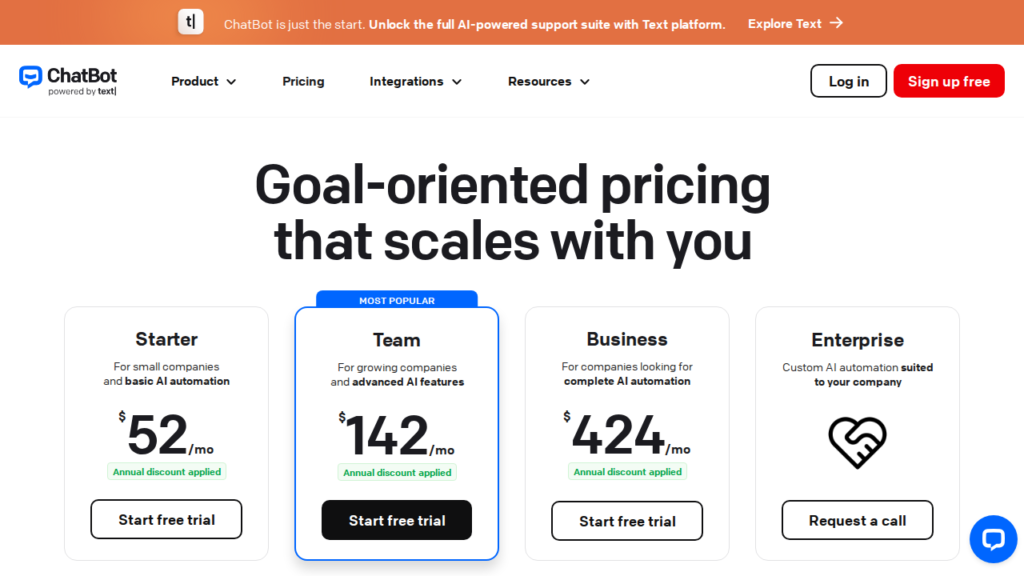
The Pricing Reality
ChatBot.com’s pricing structure is designed for enterprise clients, not individual WordPress site owners:
- Starter Plan: $52/month ($624/year) — gives you just 12,000 chats per year and only 1 active chatbot
- Team Plan: $142/month ($1,704/year) — 60,000 chats per year, 5 active chatbots
- Business Plan: $424/month ($5,088/year) — 300,000 chats per year, unlimited chatbots
- Overage Charges: $0.05 per chat once you exceed your limit
That’s a minimum of $624 per year just to get started. For a small business running a WordPress site, that’s a tough pill to swallow — especially when there are WordPress chatbot plugins without monthly fees that can do the same job.
Not WordPress-Native
ChatBot.com is an external SaaS platform. Your data lives on their servers, not yours. The WordPress integration exists, but it’s basically just embedding an external chatbot widget. You’re not getting deep WordPress integration — it doesn’t understand your custom post types, taxonomies, or WordPress-specific content structure the way a native plugin would.
No WooCommerce Product Search
If you’re running a WooCommerce store, ChatBot.com treats your products like any other page content. There’s no native product recommendation engine, no understanding of inventory, pricing, or product attributes. For eCommerce sites, this is a major missed opportunity.
Who Should Use What?
Let’s be honest: there’s no one-size-fits-all answer. Here’s who each solution is best for:
Choose ChatBot.com If:
- You’re a large enterprise with complex multichannel requirements (Messenger, Slack, Zendesk, etc.)
- You need a visual flow builder for non-technical marketing teams
- You have the budget for $600-$5,000+ per year in subscription fees
- You want white-label branding and enterprise support
Choose AI Chat & Search Pro If:
- You run a WordPress or WooCommerce site and want a native solution
- You prefer a one-time payment over recurring monthly fees
- You want semantic search and RAG-powered responses
- You need WooCommerce product recommendations
- You care about data privacy and want to keep your content on your server
- You want flexibility to choose your AI provider (ChatGPT, Gemini, Mistral)
For most WordPress site owners, AI Chat & Search Pro is the smarter choice. It’s built for your platform, costs a fraction of what ChatBot.com charges, and uses more advanced AI technology.
Final Thoughts
ChatBot.com is a powerful platform, but it’s built for enterprises with enterprise budgets. For WordPress site owners looking for a chatbot.com alternative, AI Chat & Search Pro offers smarter technology, deeper WordPress integration, and a pricing model that actually makes sense — one-time payment, no monthly fees, just pay your AI provider directly.
If you’re tired of subscription fatigue and want a chatbot that truly understands your WordPress content, WooCommerce products, and user intent, it’s worth giving AI Chat & Search Pro a serious look. Your wallet — and your visitors — will thank you.