









Best WordPress Translation Plugins to Build a Multilingual Website
Want to reach a global audience? 72% of consumers prefer buying when information is in their native language. The right translation plugin can transform your WordPress site into a multilingual powerhouse—but each solution takes a fundamentally different approach.
We’ve tested Translatepress, Weglot, WPML, Polylang, and MultilingualPress to help you find your perfect match. Whether you need lightning-fast automatic translation or granular manual control, there’s a plugin here that fits your workflow and budget.
Quick comparison of WordPress translation plugins
Before diving deep, here’s how these four plugins stack up:
| Plugin | Starting Price | Translation Method | Best For | SEO Features |
|---|---|---|---|---|
| TranslatePress | Free 2 languages (Personal: €99/year) | Visual + AI automatic | Everyone thanks to visual editor | Auto hreflang, SEO Pack add-on |
| Weglot | €150/year | Automatic (AI/cloud) | Quick setup, hands-off translation | Auto hreflang, translated URLs |
| WPML | €39/year | Manual + AI options | Feature-rich sites, page builders | Full SEO control, translation memory |
| Polylang | Free (Pro: €99/year) | Manual (DeepL in Pro) | Budget-conscious, developers | Hreflang, Yoast integration |
| MultilingualPress | $149/year | Manual + AI (2025) | Enterprise, high-traffic multisite | WordPress VIP approved |
Now let’s break down what makes each plugin unique.
TranslatePress – Translate from the frontend
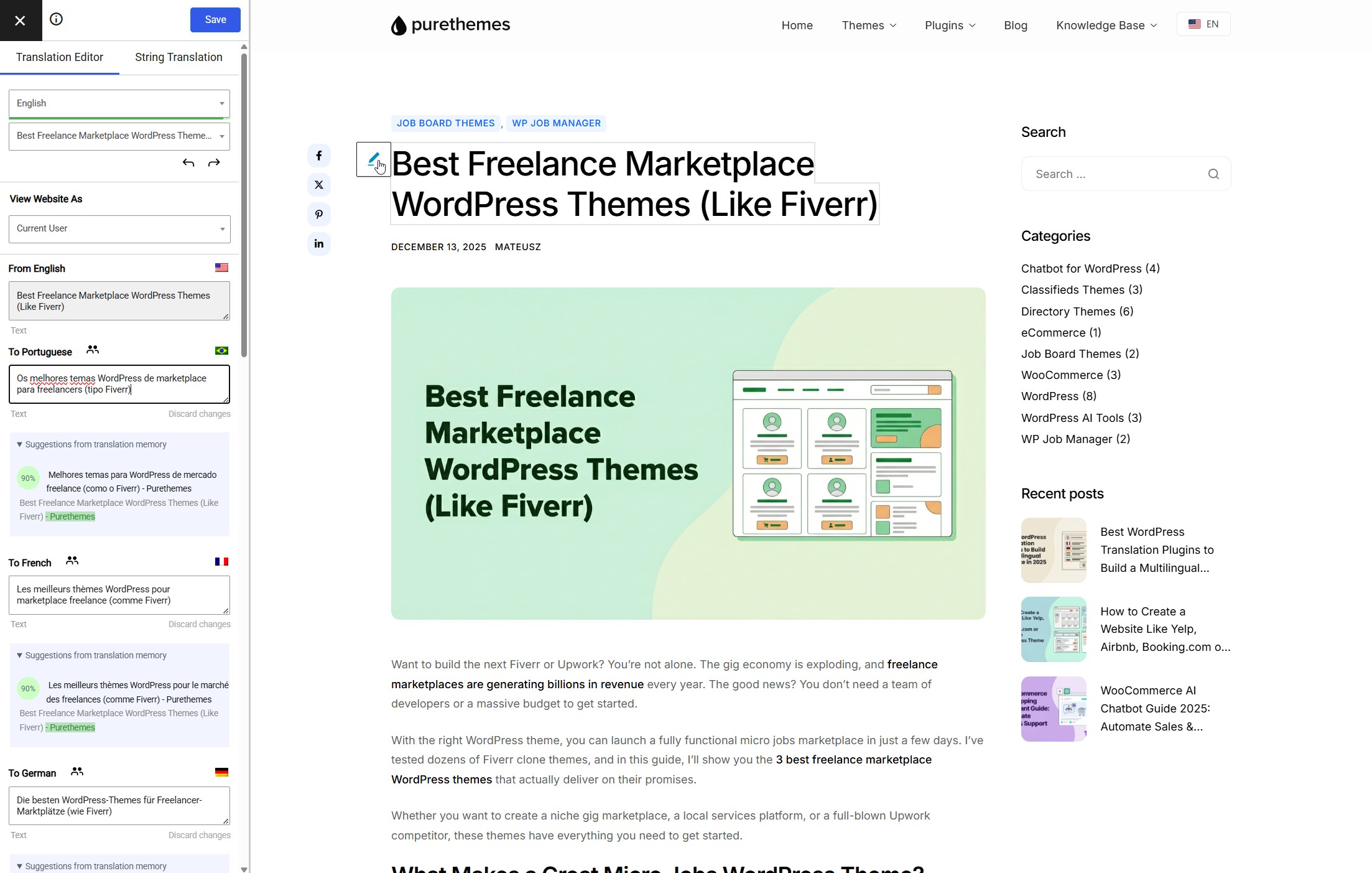
TranslatePress stands out with its unique approach: you translate your site visually, directly on the front-end, seeing exactly how everything looks as you work. No confusing admin panels or abstract text fields. We use TranslatePress on purethemes.net and can confirm it’s become our favorite solution after testing multiple alternatives.
With 400,000+ active installations, TranslatePress has grown rapidly by focusing on user experience over feature bloat. It works with virtually any theme and plugin out of the box, including complex setups like WooCommerce and page builders.
How TranslatePress handles translation
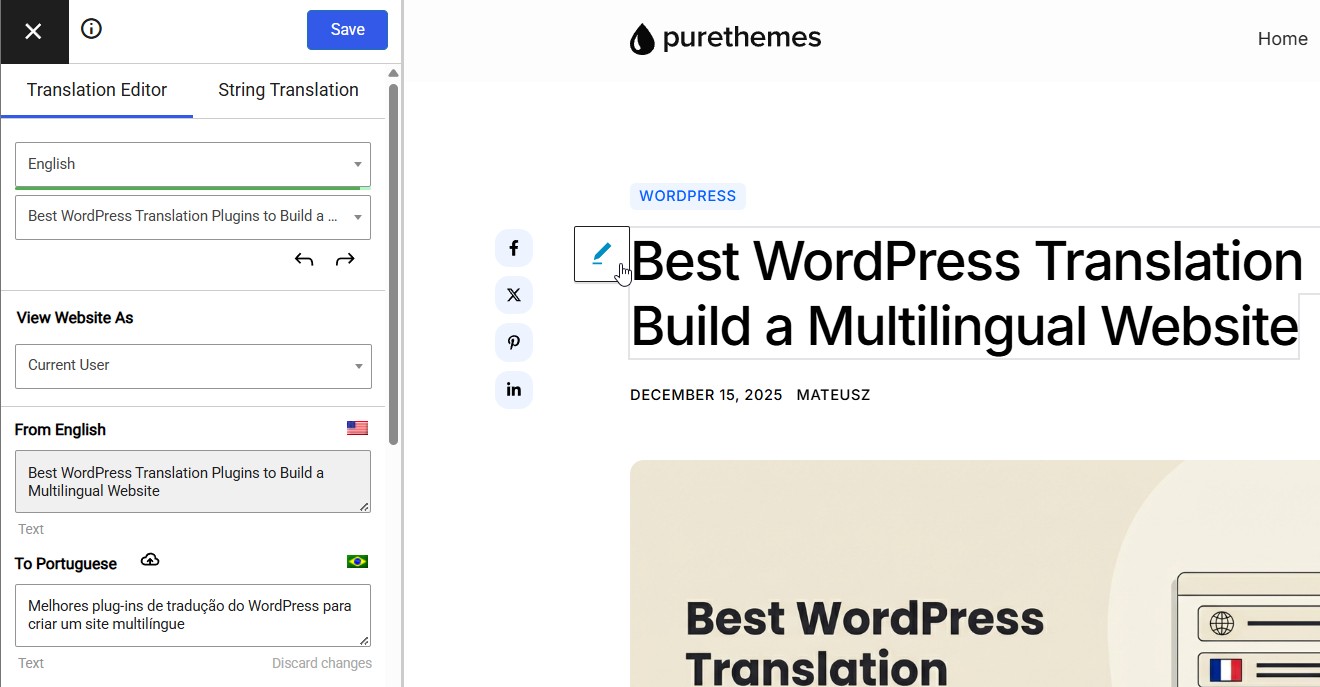
TranslatePress offers a live visual translation editor that overlays your actual website. You click any text element, type your translation, and see it update in real-time. This works for everything: post content, menus, widgets, form labels, WooCommerce product descriptions, even dynamically generated strings.
For automation, TranslatePress integrates their own AI translations and DeepL and Google Translate for one-click automatic translation of entire pages or your whole site. The automatic translation add-on uses your own API keys, so you only pay translation services directly rather than marked-up credits.
Key features include:
- Front-end visual editor for intuitive, context-aware translation
- Automatic translation via DeepL or Google Translate API
- WooCommerce support included in the free version (basic) and fully featured in Pro
- SEO Pack add-on for translated slugs, page titles, and meta descriptions
- Automatic user language detection based on browser settings
- Works with any theme or plugin without compatibility add-ons
TranslatePress pricing breakdown
- Free: Visual editor, 1 additional language, 2K AI translated words, Google Translate integration, basic WooCommerce support, no word limits for manual translation
- Personal: €99/year – 1 site, 50K AI translated words, Google Translate integration, SEO Pack add-on, multiple languages
- Business: €199/year – 3 sites, 200K AI translated words, DeepL automatic translation, translator accounts, automatic user language detection, all future pro add-ons
- Developer: €349/year – unlimited sites, 500K AI translated words, everything in Business
Additional AI words can be purchased separately: 100K for €24, scaling up to 10M words for €1,050 (56% discount at volume).

Unlike Weglot’s cloud-based model, all translations are stored locally in your WordPress database. If you don’t renew, your existing translations keep working. You only lose access to AI translation credits, new features, and support.
Who should use TranslatePress
TranslatePress is ideal for visual thinkers who want to see their translations in context. It’s particularly strong for WooCommerce stores (free version includes basic product translation), content marketers who need to maintain brand voice, and anyone frustrated by backend-only translation interfaces.
The combination of unlimited words, visual editing, and affordable pricing makes it our top recommendation for most WordPress users. Skip it only if you need enterprise multisite architecture (choose MultilingualPress) or prefer a fully managed cloud service (choose Weglot).
Weglot: the “set and forget” translation solution
Weglot is a cloud-based translation service that works differently from traditional plugins. Instead of storing translations in your WordPress database, everything lives on Weglot’s servers and gets delivered through their CDN.
How Weglot handles translation
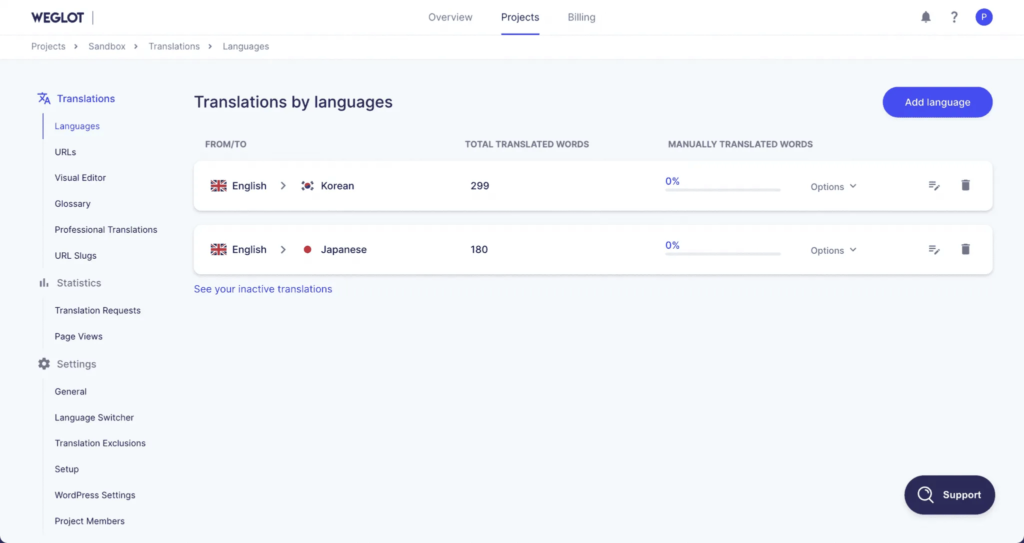
The moment you install Weglot, it scans your entire site and automatically translates everything—pages, menus, popups, even WooCommerce checkout forms. It uses a combination of DeepL, Google Translate, and Microsoft Translator to generate initial translations. You can then refine them using the visual editor or order professional human translations directly in-dashboard.
The newest feature worth mentioning: Weglot’s AI Language Model learns from your edits, glossary, and brand guidelines to improve translations over time.
Weglot pricing breakdown
- Free: 2,000 words, 1 language (testing only)
- Starter: ~€150/year – 10,000 words, 1 language
- Business: ~€290/year – 50,000 words, 3 languages
- Pro: ~€790/year – 200,000 words, 5 languages
- Advanced/Enterprise: Custom pricing for larger sites
Important: Word count multiplies by language. A 10,000-word site translated into 3 languages = 30,000 words needed.
Who should use Weglot
Weglot shines for small to medium businesses wanting multilingual capability without technical hassle. If you value speed over customization and don’t mind ongoing subscription costs, it’s hard to beat the simplicity. However, content-heavy sites with millions of words may find costs prohibitive.
WPML: the feature-rich industry standard
WPML (WordPress Multilingual Plugin) has been the go-to solution for over 15 years, powering 1 million+ active installations. It’s the most comprehensive option, though that power comes with a steeper learning curve.

How WPML handles translation
WPML offers three translation paths:
- Manual translation using the WordPress editor
- AI automatic translation through DeepL, Google, or Microsoft Azure (credits included)
- Professional translation services integrated directly into the dashboard
The Advanced Translation Editor provides a side-by-side interface with translation memory that remembers repeated phrases. Version 4.7 brought significant improvements, including paragraph-based translation that no longer awkwardly splits sentences.
WPML pricing breakdown
- Multilingual Blog: €39/year – basic translation only
- Multilingual CMS: €99/year – full features + 90,000 AI translation credits
- Multilingual Agency: €199/year – unlimited sites + 180,000 AI credits
The CMS plan offers the best value for most websites. Renewal rates drop to €79 and €149 respectively.
Who should use WPML
WPML is ideal for WooCommerce stores, corporate sites, and anyone using page builders like Elementor or Divi. The plugin handles multi-currency, product translations, and complex translation workflows beautifully. Just be prepared to invest time learning the system—there’s no free trial, only a 30-day refund.
Polylang: lightweight and budget-friendly
Polylang takes a different approach: it’s built for performance and simplicity, using native WordPress features rather than adding database overhead. With 800,000+ active installations and a genuinely useful free version, it’s perfect for developers and budget-conscious users.

How Polylang handles translation
Polylang is primarily manual translation. You create content, click the “+” icon next to your target language, and a linked translation is created. You then enter your translated content manually.
The Pro version adds DeepL machine translation for assisted translations, but there’s a notable limitation: it doesn’t work with Elementor or some other page builders. There’s no “translate everything with one click” button—each piece of content needs attention.
Polylang pricing breakdown
- Free: Full multilingual support, unlimited languages
- Pro: €99/year – DeepL integration, URL slug translation, FSE support
- WooCommerce Add-on: €99/year – required for store translation
- Business Pack: €139/year – Pro + WooCommerce bundled
The free version is genuinely powerful—you can run a complete bilingual blog without spending anything.
Who should use Polylang
Choose Polylang if you’re a developer wanting full control, running a content-focused blog, or working with a tight budget. It’s lightweight, won’t slow your site, and plays nicely with caching plugins. Skip it if you need automated workflows or heavy page builder integration.
MultilingualPress: enterprise-grade multisite architecture
MultilingualPress is fundamentally different from every other plugin on this list. It requires WordPress Multisite, where each language becomes its own separate WordPress installation within a network.

How MultilingualPress handles translation
Rather than storing all languages in one database, MultilingualPress creates complete isolation: each language has its own database tables, theme settings, and content. The plugin establishes relationships between translated content across sites.
In 2025, MultilingualPress added automatic translation via DeepL, OpenAI, and Amazon Translate. Previously, it was manual-only. The “Based on site” feature lets you clone and auto-translate entire language sites quickly.
MultilingualPress pricing breakdown
- Starter: $149/year – 2 languages
- Professional: $599/year – 6 languages
- Advanced: $899/year – 12 languages
- Enterprise: $1,499/year – unlimited languages
These prices reflect 2025 updates—older sources may show lower figures.
Who should use MultilingualPress
MultilingualPress suits enterprise sites, high-traffic platforms, and businesses needing regional customization. It’s the only multilingual plugin approved for WordPress VIP (used by the White House and major corporations). The multisite architecture means superior performance at scale—but it requires technical comfort with multisite setup.
SEO considerations for multilingual WordPress sites
Regardless of which plugin you choose, these hreflang tags and URL structure decisions matter tremendously for international rankings:
- Hreflang tags tell Google which language version to show searchers. All four plugins handle this automatically, but verify implementation using Google’s Hreflang Tag Testing Tool.
- URL structure options include subdirectories (/fr/), subdomains (fr.site.com), or separate domains. Subdirectories are recommended—they share domain authority and are easiest to manage.
- Translated URL slugs boost relevance. WPML, Polylang Pro, and Weglot all support translating post slugs.
- Separate sitemaps per language help search engines discover all translated content efficiently.
Sites that properly implement multilingual SEO see up to a 40% lift in relevant regional traffic.
FAQ: WordPress translation plugins
Which translation plugin is easiest to set up? Weglot wins for pure speed—you can have a working multilingual site in under 5 minutes. TranslatePress comes close with its visual interface that requires almost no learning curve. Polylang free is also straightforward for basic setups.
Can I switch between translation plugins later? Yes, but it’s complicated. Polylang offers a free WPML migration tool. Generally, plan your choice carefully—switching means potential content loss and SEO disruption.
Do I need automatic or manual translation? Automatic translation (Weglot, WPML AI) saves time but requires human review for accuracy. Manual translation (Polylang free) ensures quality but demands significant effort. Most users benefit from automatic first-pass with manual refinement.
Which plugin works best with WooCommerce? WPML offers the most complete WooCommerce integration with multi-currency support included. Polylang requires a separate €99 add-on. Weglot handles WooCommerce well automatically. MultilingualPress requires separate inventory management per language site.
What happens if I cancel my subscription? With Weglot (cloud-based), translations stop displaying immediately. WPML, Polylang, and MultilingualPress store translations in your WordPress database—content remains even without renewal, though you lose updates and support.
Why does PureThemes use TranslatePress? We chose TranslatePress for purethemes.net after testing all plugins covered in this article. The visual editor made translating our theme documentation and landing pages significantly faster than backend alternatives. Combined with unlimited words and one-time annual pricing, it offered the best value for our multilingual content needs.
Making your choice
There’s genuinely no single “best” plugin here—only the best fit for your specific situation:
- Choose TranslatePress for visual editing, unlimited words, and excellent value
- Choose Weglot for speed and simplicity with ongoing SaaS costs
- Choose WPML for maximum features and page builder compatibility
- Choose Polylang for budget-friendly manual control and performance
- Choose MultilingualPress for enterprise-scale sites requiring true content isolation
The good news? Each of these plugins handles the critical SEO elements—hreflang tags, translated URLs, and proper language signals—so your multilingual content can actually rank where it matters.