









Best Freelance Marketplace WordPress Themes (Like Fiverr)

Want to build the next Fiverr or Upwork? You’re not alone. The gig economy is exploding, and freelance marketplaces are generating billions in revenue every year. The good news? You don’t need a team of developers or a massive budget to get started.
With the right WordPress theme, you can launch a fully functional micro jobs marketplace in just a few days. I’ve tested dozens of Fiverr clone themes, and in this guide, I’ll show you the 3 best freelance marketplace WordPress themes that actually deliver on their promises.
Whether you want to create a niche gig marketplace, a local services platform, or a full-blown Upwork competitor, these themes have everything you need to get started.
What Makes a Great Micro Jobs WordPress Theme?
Before we dive into the comparison, let’s talk about what features actually matter when building a Fiverr-like marketplace:
- Bidding system where freelancers can submit proposals on posted jobs
- Escrow payments to protect both buyers and sellers
- Commission system so you can monetize transactions
- User dashboards for freelancers and employers to manage everything
- Private messaging between users
- Review system to build trust in your marketplace
- Multiple payment gateways via WooCommerce integration
Now let’s look at the themes that check all these boxes.
Best Micro Jobs WordPress Themes Compared
| Feature | WorkScout | Workreap | Freeio |
|---|---|---|---|
| Price | $79 (one-time) | $69 (one-time) | $59 (one-time) |
| Rating | 4.8/5 (279 reviews) | 4.5/5 (226 reviews) | 4.4/5 (62 reviews) |
| Micro Jobs/Tasks | ✅ Yes | ✅ Yes | ✅ Yes |
| Job Board Features | ✅ Full Job Board | ✅ Yes | ✅ Yes |
| AI Features | ✅ AI Hiring Assistant | ❌ No | ❌ No |
| Stripe Split Payments | ✅ Built-in | ❌ Manual Setup | ❌ Manual Setup |
| WP Job Manager | ✅ Native | ❌ Custom | ❌ Custom |
| Page Builder | Elementor | Elementor | Elementor |
| Wallet System | ✅ Yes | ✅ Yes | ✅ Yes |
1. WorkScout – Best All-in-One Solution
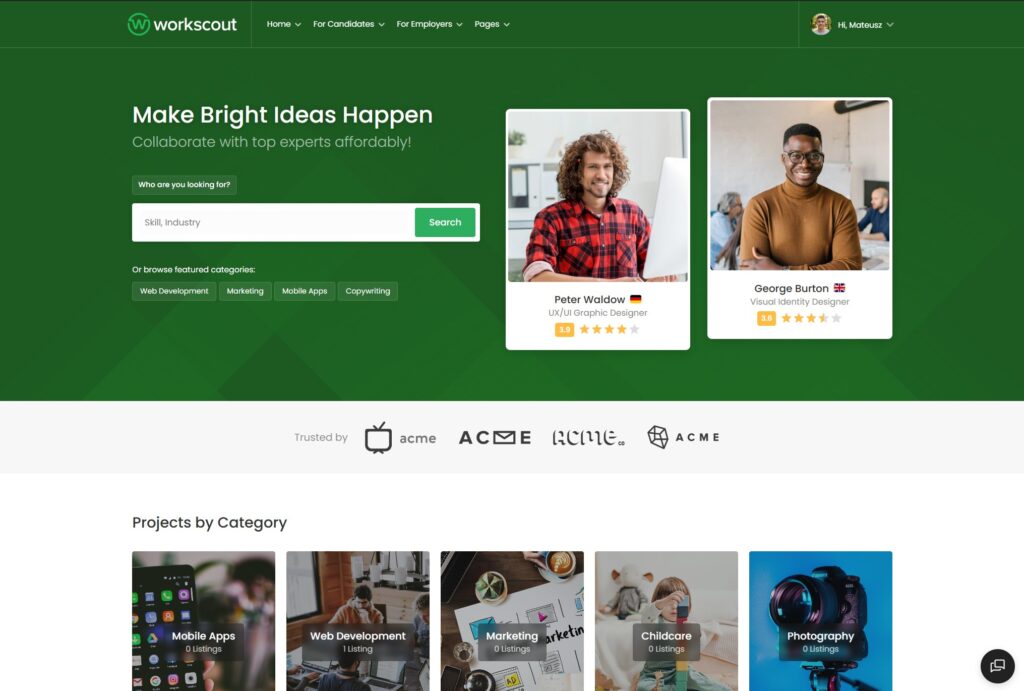
WorkScout is hands down the most versatile option if you want both a traditional job board AND a freelance marketplace in one package. Think of it as Indeed meets Fiverr.
What sets WorkScout apart is its dual functionality. You can run a job board where employers post positions and candidates apply, OR you can enable the micro jobs system where freelancers bid on tasks. Most competing themes force you to choose one or the other.
Key Features That Stand Out
The Stripe Split Payments integration handles commission splits automatically. When a freelancer completes a task, your cut goes directly to your account while the freelancer gets paid. No manual calculations or payouts needed.

Who Is WorkScout Best For?
WorkScout is ideal if you want to build a comprehensive platform that can serve multiple purposes. It works equally well for:
- Niche job boards (healthcare, tech, remote work)
- Local services marketplaces
- Freelance platforms like Upwork or Fiverr
- Industry-specific gig marketplaces
The 4.85 star rating across 279 reviews on ThemeForest speaks for itself. Users consistently praise the support quality and regular updates.
Price: $79 one-time payment with lifetime license
2. Workreap – Feature-Rich Alternative

Workreap by AmentoTech is one of the most popular freelance marketplace themes on ThemeForest with over 4,000 sales. It’s a solid choice if you want a dedicated freelancer platform without the job board features.
What Workreap Does Well
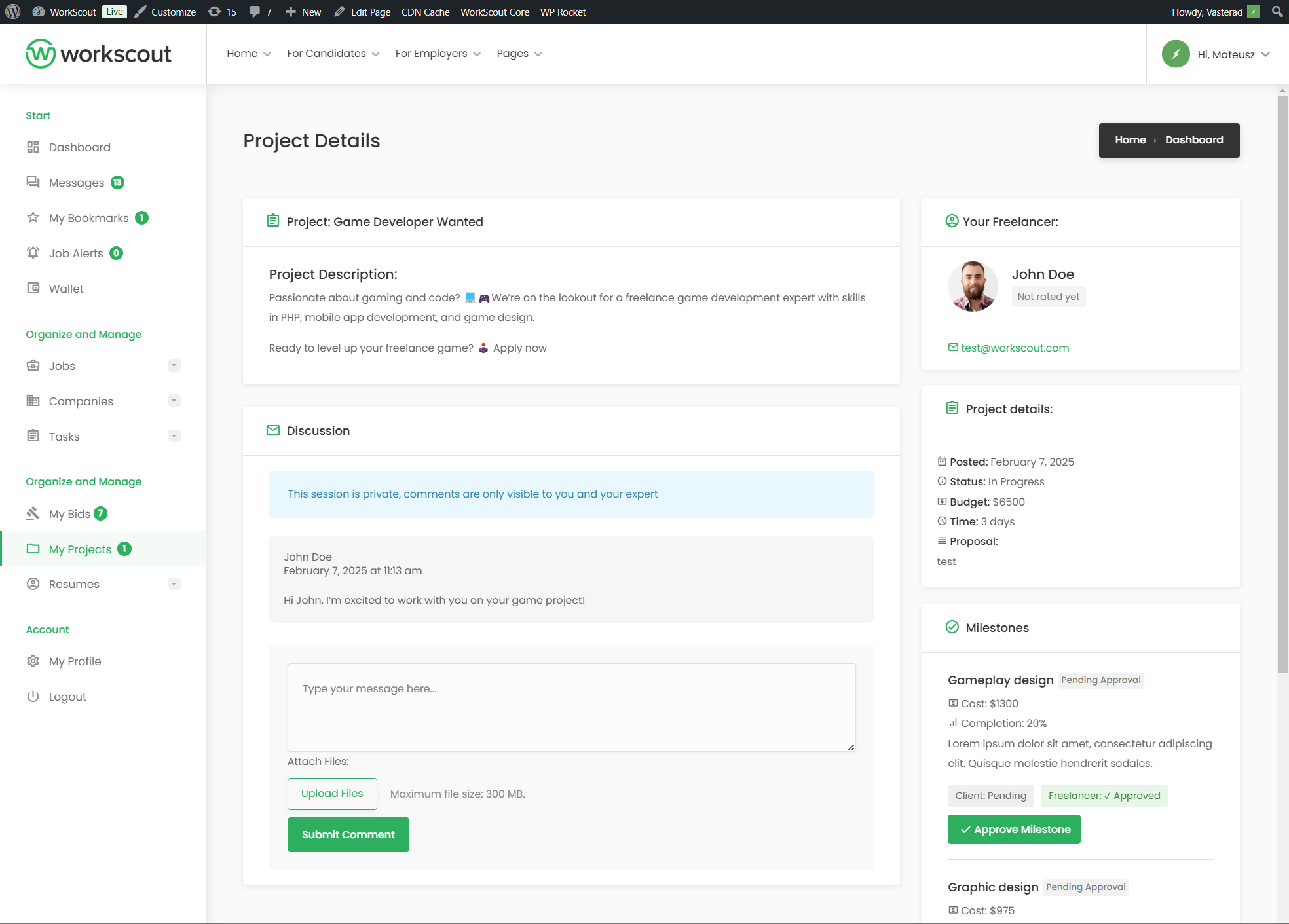
The theme comes packed with features out of the box. You get project listings, service packages, bidding system, and a complete proposal workflow. Freelancers can create detailed profiles, showcase portfolios, and receive payments through an integrated wallet system.
Workreap supports both fixed-price projects and hourly billing. The milestone management system lets employers break large projects into smaller deliverables, which is great for managing complex freelance work.
One unique feature is the tier-based commission system. You can set different commission rates based on freelancer levels or project values. Top performers could pay lower fees as an incentive.
Who Should Choose Workreap?
Workreap is best for users who want a dedicated freelance marketplace and don’t need traditional job board functionality. It’s particularly good for:
- Upwork-style freelancer platforms
- Service marketplaces with project bidding
- Niche freelance communities
Price: $69 one-time payment
3. Freeio – Budget-Friendly Option
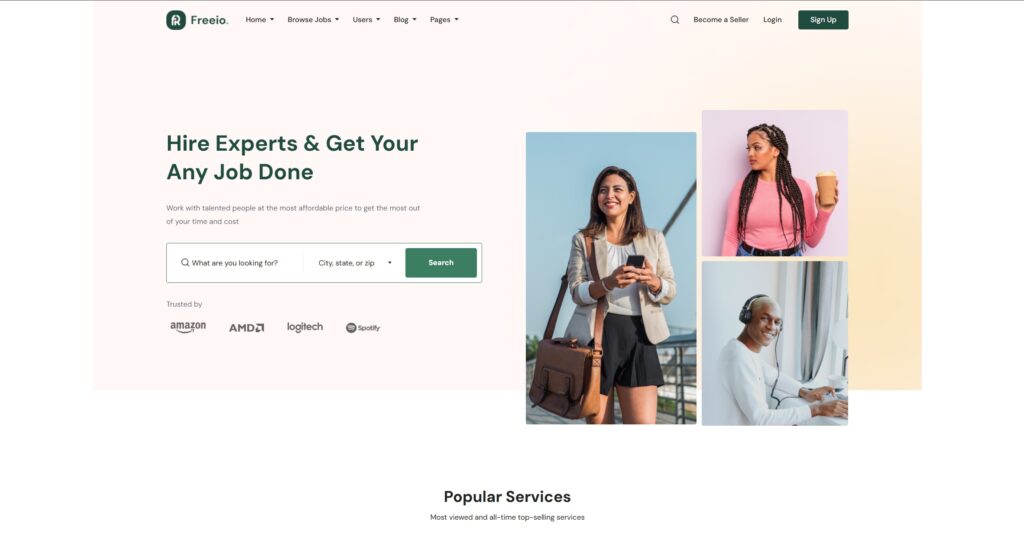
Freeio by ApusTheme is the newest theme in this comparison, but it’s quickly gaining traction with 1,700+ sales. At $59, it’s also the most affordable option.
What Makes Freeio Worth Considering
The theme is built with over 250 Elementor elements, giving you serious customization flexibility. If you want to heavily customize your marketplace design, Freeio makes it easy.
It includes the standard freelance marketplace features: user profiles, project management, proposal system, wallet, and reviews. The WooCommerce integration means you can use any payment gateway the plugin supports.
Freeio also includes some nice extras like MailChimp integration, Slider Revolution, and WPML support for multilingual sites. These would cost extra with some competing themes.
Who Is Freeio Best For?
Freeio makes sense if you’re on a tight budget and want a clean, modern freelance marketplace theme. It’s good for:
- First-time marketplace builders testing the waters
- Simple gig marketplaces without complex requirements
- Users who prioritize design customization
Price: $59 one-time payment
Quick Recommendation Guide
Still not sure which theme to pick? Here’s my take:
Choose WorkScout if:
- You want both job board AND freelance marketplace features
- AI-powered hiring assistance sounds valuable
- You prefer themes backed by extensive documentation and support
- You need automated commission splitting via Stripe
Choose Workreap if:
- You want a dedicated freelance platform (no job board needed)
- Hourly billing and milestone management are important
- Having a mobile app option matters to you
- You need tier-based commission structures
Choose Freeio if:
- Budget is your primary concern
- You want maximum design flexibility with Elementor
- Your marketplace requirements are relatively simple
- You’re comfortable being an early adopter
FAQ
Can I create a website like Fiverr with WordPress?
Absolutely. WordPress with a specialized marketplace theme gives you all the core functionality of platforms like Fiverr or Upwork. You get user registration, service listings, bidding systems, secure payments, messaging, and reviews. The main difference is that you control the platform and keep 100% of the commissions instead of paying Fiverr their cut.
How do I make money from a freelance marketplace?
Most marketplace owners monetize through commission fees on completed transactions (typically 5-20%). You can also charge for premium listings, featured spots, subscription packages, and employer posting fees. The themes listed above support all these monetization methods.
Which payment gateways work with these themes?
All three themes integrate with WooCommerce, which supports over 100 payment gateways including PayPal, Stripe, Square, and regional options. WorkScout additionally has native Stripe Split Payments for automatic commission handling.
Do I need coding skills to set up these themes?
No coding required. Each theme comes with a one-click demo importer and setup wizard. You can customize everything through the WordPress dashboard and Elementor page builder. That said, having a developer helps if you want advanced customizations.
How long does it take to launch a marketplace?
With any of these themes, you can have a basic marketplace running within a few days. The demo import handles most of the initial setup. Expect to spend additional time customizing the design, setting up payment gateways, and creating your terms of service.
Final Thoughts
Building a freelance marketplace used to require custom development costing tens of thousands of dollars. Now you can launch a professional Fiverr alternative for under $100 using WordPress.
The real key to success isn’t the theme you choose. It’s finding a niche, providing value to both freelancers and clients, and consistently improving your platform. The theme just gives you the foundation to build on.
Ready to start building? Pick a theme, install it, and launch your marketplace this weekend. The gig economy isn’t slowing down, and there’s plenty of room for niche platforms that serve specific communities better than the giants.
Need to build job board? Check Best 7 Job Board WordPress Themes