









Best 5 Directory WordPress Themes for 2026

Looking for the best directory WordPress theme to launch your listing website? Whether you want to build a local business directory, create a classified ads website, or start a service marketplace, choosing the right WordPress listing theme is crucial for success.
A professional directory theme for WordPress does more than just look good. It needs powerful search and filtering, frontend submission forms, monetization options, and mobile-responsive design. The best business directory themes also include booking systems, review management, and seamless payment integration.
What Makes a Great Directory WordPress Theme?
Before the comparison, here’s what actually matters:
- Frontend submissions – Users should manage listings without touching the WordPress admin. If they need backend access, you’ve lost them.
- Powerful search – Look for geolocation, radius filters, and custom field searches. Visitors need to find what they want in seconds.
- Built-in monetization – Paid listings, featured spots, subscription packages, WooCommerce payments. No extra plugins needed.
- Booking system – Essential for rental directories and service marketplaces. Saves months of development.
- AI integrations – Modern directories benefit from AI-powered chatbots, enhanced SEO descriptions, and smart data importers. Cuts setup time and improves user experience.
- Mobile-first design – Over 60% of directory traffic is mobile. “Responsive” isn’t enough anymore.
- Reviews and ratings – User reviews build trust. Your theme should handle this out of the box.
Now let’s see how the top themes compare.
Quick Overview Table
| Feature | Listeo | Listify | ListingPro | Listivo | ClassiPress |
|---|---|---|---|---|---|
| Price | $79 | $69 | $69 | $79 | $69 |
| Built-in Booking | ✅ Yes (full system) | Via plugins | Via plugins | ❌No | ❌No |
| AI Features | ✅ Yes (Chatbot, AI SEO, Data Importer) | ❌No | ❌No | ❌No | ❌No |
| Built-in Messaging | ✅ Yes | No | ✅ Yes | ✅ Yes | ❌No |
| WPML / Multilingual | ✅ Yes | ✅ Yes | ✅ Yes | ✅ Yes | Via plugin |
| WooCommerce | ✅ Yes | ✅ Yes | ❌No | ✅ Yes | No (own system) |
| Geolocation Search | ✅ Yes | ✅ Yes | ✅ Yes | ✅ Yes | Limited |
| Frontend Submission | ✅ Yes | ✅ Yes | ✅ Yes | ✅ Yes | ✅ Yes |
| Dokan Multi-Vendor Support | ✅ Yes | ❌No | ❌No | ❌No | ❌No |
Top 5 Directory WordPress Themes
Now, let’s explore the best listing theme WordPress options to create a powerful directory website:
1. Listeo
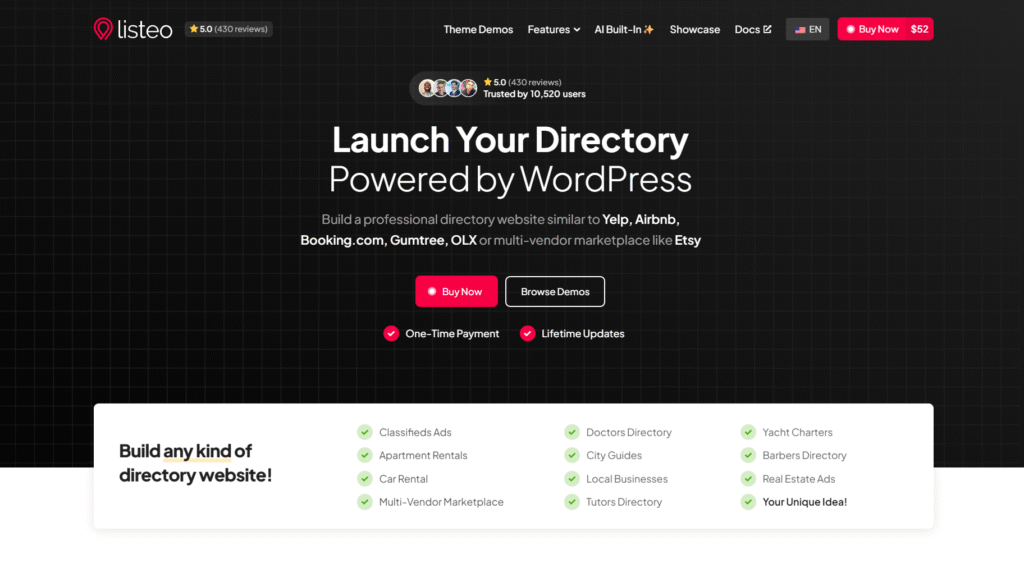
Listeo stands out as the premier directory & listings WordPress theme, offering an unmatched combination of features, design flexibility, and user experience. With over 10,000 sales on ThemeForest, Listeo has proven itself as the go-to solution for creating professional directory and listing websites.
Key Features:
- AI features like AI Chatbot built-in or AI optimized SEO descriptions for listings
- Advanced booking system with calendar integration and availability management
- Powerful search with geolocation, radius search, and multiple filter options
- Built-in messaging system for direct communication between users
- Comprehensive review and rating system
- Frontend listing submission form editor with user dashboards
- Multiple monetization options including paid listings, featured listings, and packages
- WooCommerce integration for seamless payments
- Full compatibility with Elementor
- OpenStreetMaps included free, reducing Google Maps API costs
- Regular updates and excellent customer support
Listeo excels at creating location-based directories, service marketplaces, rental platforms, and booking websites. Its intuitive interface makes it perfect for both beginners and experienced developers looking to build sophisticated directory websites. It’s also natively integrated with AI Chatbot which comes for free with Listeo and allows to find and filters listings simply by talking to AI.
Need to launch with real listings from day one? Check out our guide on how to fill your directory with real businesses using bulk import
Demo: https://purethemes.net/listeo/
2. Listify
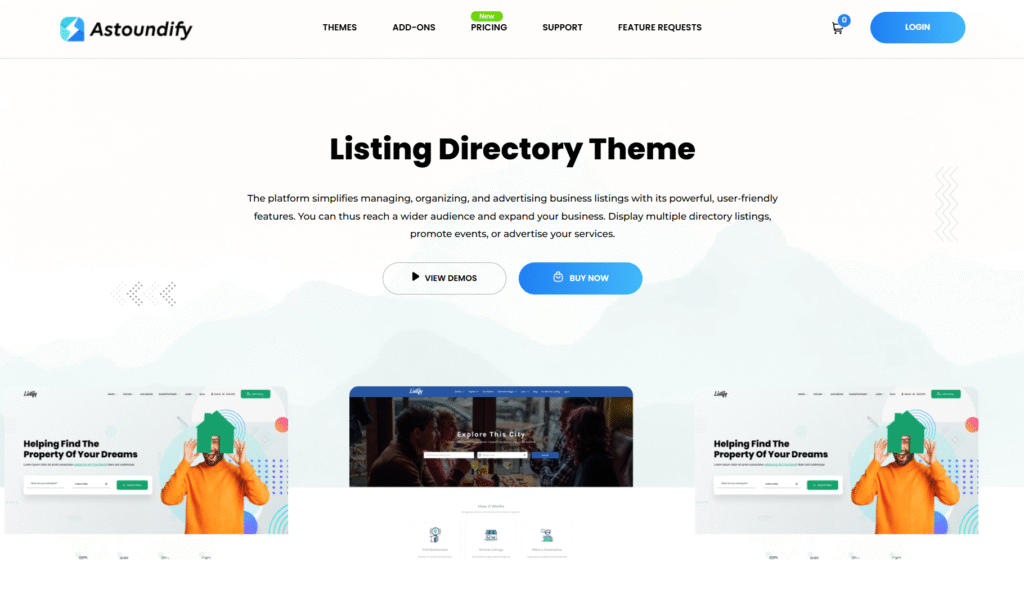
Listify is a popular business directory WordPress theme known for its ease of use and extensive features. It is built on top of WP Job Manager. It offers built-in listing creation, powerful search functionality with filters, and a clean, modern design. Listify integrates seamlessly with WooCommerce, making it ideal for monetizing your directory through product listings or subscriptions.
- Mature, stable codebase with over 10 years of updates and refinements
- WooCommerce integration for flexible payment processing
- Works with FacetWP, Gravity Forms, and popular booking services
Demo: https://themeforest.net/item/listify-wordpress-directory-theme/9602611
3. ListingPro

ListingPro takes an all-in-one approach, bundling most features directly into the theme rather than relying on plugins. This means you can skip WooCommerce entirely since ListingPro has its own checkout system with Stripe, PayPal, and 2Checkout built in. The theme uses OpenStreetMaps by default (Google Maps optional), which saves on API costs.
- Built-in ads system and lead generation tools
- Self-contained system with built-in payments (no support for WooCommerce)
- OpenStreetMaps included free, reducing Google Maps API costs
- Drag-and-drop form builder for frontend submissions
Demo: https://themeforest.net/item/listingpro-multipurpose-directory-theme/19386460
4. Listivo
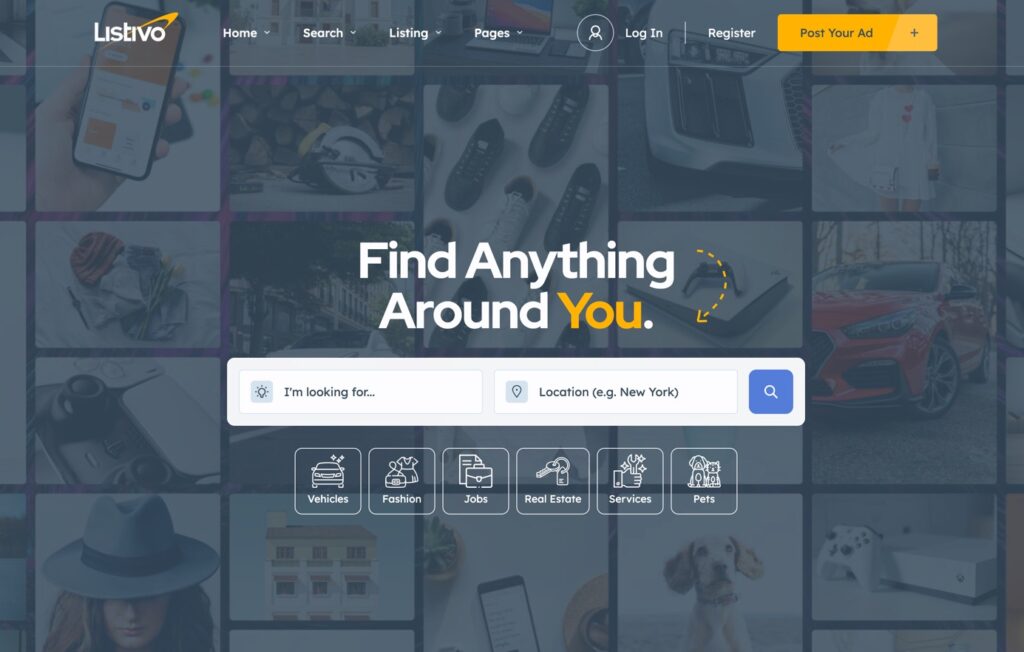
Listivo by TangibleWP is a classified ads and directory theme built around one thing: search speed. Its search engine delivers results without page reloads, handling thousands of listings with keyword autocomplete and contextual filtering.
Where Listivo shines is Elementor integration. It ships with custom Elementor widgets and ready-to-use demos covering classifieds, automotive, real estate, and services. You can customize ad pages, user profiles, and search forms entirely through drag-and-drop. The theme includes WooCommerce payments, Stripe subscription packages, featured listings, a “bump up” feature, and a built-in messaging system.
The trade-off? Listivo is classifieds-first. It doesn’t include a booking system for rentals or appointments, so it won’t work for Airbnb-style or service marketplace directories. But for OLX/Gumtree-style buy/sell platforms, it’s strong option
- 200+ Elementor widgets with drag-and-drop ad page customization
- WooCommerce + Stripe subscriptions for monetization
- No booking system (classifieds and buy/sell only)
Demo: https://themeforest.net/item/listivo-classified-ads-wordpress-theme/34032749
5. ClassiPress
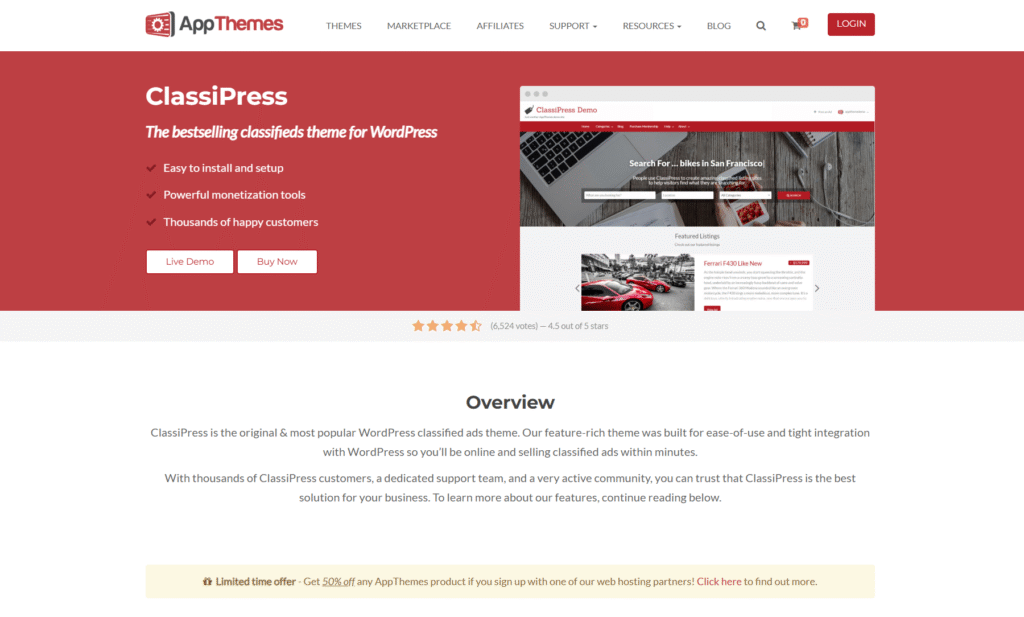
It’s specifically designed for buy/sell classifieds. The theme has its own payment system (not WooCommerce) with fixed, percentage, or category-based pricing models. ClassiPress works well for traditional classified sites, but lacks built-in modern features like built-in messaging, booking systems, or AI integrations that newer themes offer.
- Proven, stable platform with years of real-world use
- Flexible pricing models (fixed, percentage, category-based)
- Ad packages and membership packs built in
Demo: https://www.appthemes.com/themes/classipress/
Top WordPress Directory Plugins and When You Actually Need One
Let’s be honest. Plugins make sense in specific situations:
- You already have a theme you love and don’t want to change it
- You need GeoDirectory’s enterprise-level geolocation for millions of listings
- You’re a developer building on an existing site with established design
- You genuinely only need a basic member directory (free HivePress might be enough)
If any of those describe you, here are the best WordPress directory plugins worth considering.
The Hidden Cost of WordPress Directory Plugins
Most directory plugins follow a familiar pattern. The core is free (or cheap). But booking? That’s an extension. Payments? Another extension. Multi-vendor marketplace? You guessed it.
By the time you’ve assembled a fully functional directory, you’re looking at:
- $200-350 in Year 1 (plugin + theme + extensions)
- $150-250 annually for renewals
- 5-10 plugins that all need updating, testing, and compatibility checks
And there’s the maintenance burden. When plugins from different vendors don’t play nice together, you’re stuck troubleshooting update conflicts, compatibility issues, and support finger-pointing. When you’re running a business, that matters.
So before you install anything, ask yourself: what if a single theme solved all of this?
Directorist: Best for Multi-Directory Sites
Price: Free core | Pro from $129/year | Lifetime from $379
Directorist is the Swiss Army knife of directory plugins. With 30+ extensions and a drag-and-drop form builder, you can customize almost anything. It supports multiple directory types on one site (restaurants + hotels + services, for example).
Strengths:
- Massive extension ecosystem
- Multi-directory support
- Mobile app available
- 660+ reviews
Weaknesses:
- Extension dependency: Many essential features require paid add-ons, leading to higher total cost
- Booking requires a paid extension
- Complex setup for beginners
- You still need to buy a theme separately ($50-100+)
Year 1 realistic cost: $229-350 (plugin + theme + essential extensions)
Directorist works best for developers building complex, multi-directory setups. If security is a concern for your project (and it should be), read our full Directorist comparison.
HivePress: Best Free Starting Point
Price: Free core | Extensions $29-39 each | All Extensions Bundle $199
HivePress is the most generous with its free tier. The core plugin plus the free ListingHive theme give you custom fields, advanced search with filtering, geolocation, WooCommerce monetization, reviews, and messaging. That’s enough to launch a basic directory without spending anything.
Strengths:
- Genuinely useful free version
- Clean, modern interface
- One-time payment for extensions (no annual subscription)
Weaknesses:
- “Free” becomes $199-299 when you need bookings, marketplace features, or memberships
- Support responsiveness has been criticized in community forums (weeks-long wait times reported)
- No AI or semantic search
- Basic bookings only (no hourly or event ticketing)
Year 1 cost (full features): $199-299
HivePress is solid for simple directories or classifieds. Just know that “free” has limits. For a deeper look, see our HivePress alternative comparison.
GeoDirectory: Best for Location-Heavy Directories
Price: Free (1 city only) | Membership $229/year (all add-ons)
GeoDirectory has been around since 2011. Its geolocation and proximity search capabilities are arguably the best in the WordPress ecosystem. If you’re building a Yelp-style local business directory with millions of listings, this is the enterprise-grade option.
Strengths:
- Best-in-class geolocation features
- Scales to millions of listings
- Strong developer ecosystem (14+ years)
- Good page builder support (Elementor, Gutenberg, Bricks)
Weaknesses:
- No booking system at all (can’t build Airbnb, service booking, restaurant reservations)
- Free version limited to 1 city (essentially a demo)
- $229/year recurring adds up ($2,290 over 10 years)
- Uses GetPaid instead of WooCommerce for payments
- Still need a separate theme
Year 1 cost: $279-329
GeoDirectory is excellent for pure business directories where booking isn’t needed. For anything involving reservations or appointments, look elsewhere. We covered this in detail in our GeoDirectory alternative article.
Enhancing Your Directory & Listings Website
Before exploring specific themes, let’s discuss the crucial features to consider when choosing a WordPress directory template.
- 🔍 Listing Functionality: This is the core of your directory website. Look for themes that allow easy adding, editing, and managing of listings. Features like custom fields, categorization, and search filters are essential for creating a user-friendly experience.
- ⚙️ Customization Options: A theme offering extensive customization options lets you align the design with your brand identity. This includes color schemes, typography, layout variations, and the ability to add your logo.
- 📱Mobile-Responsiveness: In today’s mobile-first environment, a responsive theme is non-negotiable. Your directory website must look flawless and function seamlessly across all devices, from desktops to tablets and smartphones.
- 💰Monetization Potential: If you plan to generate revenue from your directory, consider themes that integrate with popular payment gateways and support subscription plans or featured listing options.
Multilanguage Support: Planning to serve an international audience? Check our best WordPress translation plugins guide to find the right solution for your website.
After You Choose: SEO Basics for Any Directory Theme
Optimizing your directory website for search engines is critical to attracting organic traffic and helping your listed businesses gain visibility. Unlike standard websites, directory platforms face unique SEO challenges that require specialized approaches.
Getting Your Directory Found on Google
Running a directory site comes with unique SEO challenges. You’re not just optimizing one business. You’re trying to rank hundreds or thousands of listings while competing with giants like Yelp and TripAdvisor. Here’s what actually moves the needle:
Add Schema Markup to Your Listings
Schema markup tells Google exactly what each listing is: a restaurant, a plumber, a hotel. When done right, your listings can show star ratings, price ranges, and business hours directly in search results. Most directory themes handle basic schema, but check if yours supports LocalBusiness and Review markup specifically. The difference in click-through rates can be dramatic.
Make User Reviews Work Harder
Every review someone leaves on your site is fresh content that Google can index. Encourage listing owners to respond to reviews (this creates even more indexable content). Set up your theme to display recent reviews on category pages, not just individual listings. This keeps your archive pages fresh without you lifting a finger.
Build Location Pages That Actually Rank
If your directory covers multiple cities, don’t just filter listings by location. Create dedicated landing pages for each area with unique introductions, local tips, and curated featured listings. “Best Restaurants in Austin” should feel different from “Best Restaurants in Portland,” not just show different database results.
Fix Your Page Speed (It’s Probably Slow)
Directory sites are notorious for slow load times. You’re loading maps, dozens of listing thumbnails, and filter scripts on every archive page. Lazy load your images, cache your map tiles, and consider deferring non-essential scripts. Run your archive pages through PageSpeed Insights, not just your homepage. That’s where the real problems hide.
Everyone searching for the best WordPress directory plugin assumes a plugin is the answer. After all, that’s how WordPress works, right? Find a theme you like, then stack plugins until it does what you need.
Here’s what nobody tells you: that approach is expensive, fragile, and often unnecessary.
FAQ
What’s the difference between a directory theme and a regular business theme?
Directory themes are built specifically to handle multiple listings from different users or businesses. They include features like frontend submission forms (so users can add their own listings), search with filters, map integrations, and monetization tools like paid listings or subscriptions. A regular business theme is designed to showcase one company, not aggregate many.
Can I switch directory themes later without losing my listings?
It depends on how your theme stores data. Themes that use plugins for core functionality (like ListingHive with HivePress, or Listify with WP Job Manager) store listings in the plugin, not the theme. Switching themes preserves your data. Themes with built-in listing systems (like ListingPro or Listeo) store data in theme-specific formats, making migration more complex. Always export your listings before switching.
Do I need WooCommerce for a directory website?
Not necessarily. Some themes like ListingPro and ClassiPress have their own payment systems built in. Others like Listify and ListingHive integrate with WooCommerce for payments. WooCommerce adds flexibility (more payment gateways, subscription options).
How do I populate my directory with initial listings?
Starting with an empty directory is a chicken-and-egg problem. Most themes support CSV imports for bulk adding listings. You can scrape public business data (legally) from sources like Google Places API, manually add local businesses yourself, or offer free listings initially to attract your first users. Some themes like Listeo include AI-powered data importers that can help speed up this process.
What are the best ways to monetize a directory website?
Most directory themes support multiple revenue streams. The most common include paid listing submissions, featured/promoted listings that appear at the top of search results, subscription packages for businesses, and claim listing fees for businesses to take control of their profile. Some themes also support booking commissions if you’re running a service marketplace. The right mix depends on your niche and audience. For a deeper breakdown, check out our complete guide to monetizing your directory website.
Conclusion
Selecting the ideal directory WordPress them requires careful consideration of your specific requirements and long-term vision. Evaluate the features, customization capabilities, and overall design philosophy of each theme before committing to your choice. With these outstanding options at your disposal, you’re well-equipped to build a thriving directory website that delivers exceptional value to both listing owners and visitors alike.
If you’re specifically building a niche site, see our dedicated vacation rental WordPress themes comparison or car rental themes