


 IT
 EN
 PT
 DE
 FR
 ES
 TR
 PL
 NL
 EL
IA integrata nella directory
Dal setup alla ricerca, l'AI aiuta te e i tuoi utenti in ogni fase.
- AI per setup e lavoro quotidiano
- Directory in crescita, meno lavoro
PIÙ RAPIDO CON L'IA
Lascia all'IA il lavoro duro
Riempi la directory con luoghi reali, gestisci il sito chattando con ChatGPT o Claude, e personalizza Listeo con un agente di coding.
Connect Your AI Agent
to Listeo with MCP Plugin
Create pages, manage bookings, update taxonomies, filters, and manage your site just by chatting with AI. Skip the endless clicks and connect ChatGPT or Claude to Listeo with the MCP plugin.
AI Agent Skills for Listeo



Listeo works great out of the box – no code needed. But if you want to push it further, this kit gives your coding agent everything it needs (including 120+ hooks) to customize Listeo, update-safe.
AI-Enhanced  Data Importer:
 Data Importer:
Import Real Listings in Minutes
The Listeo Data Importer can fill your directory with real listings using Google API e OpenAI to generate SEO-friendly listings descriptions based on Google Reviews.
PIÙ FACILE PER LORO
L'IA guida i tuoi visitatori
Ricerca intelligente, import automatico e sintesi delle recensioni.

Ricerca Intelligente con IA
La Ricerca AI di Listeo introduce la ricerca in linguaggio naturale potenziata da OpenAI nel tuo sito directory. Invece di digitare semplici parole chiave, gli utenti possono inserire frasi di uso comune e ottenere risultati di ricerca accurati.

-
Natural Language - users can search like they talk:
cozy restaurant with outdoor seating - AI understands context and finds listings that meet user needs
- Analytics Insights: track popular user searches

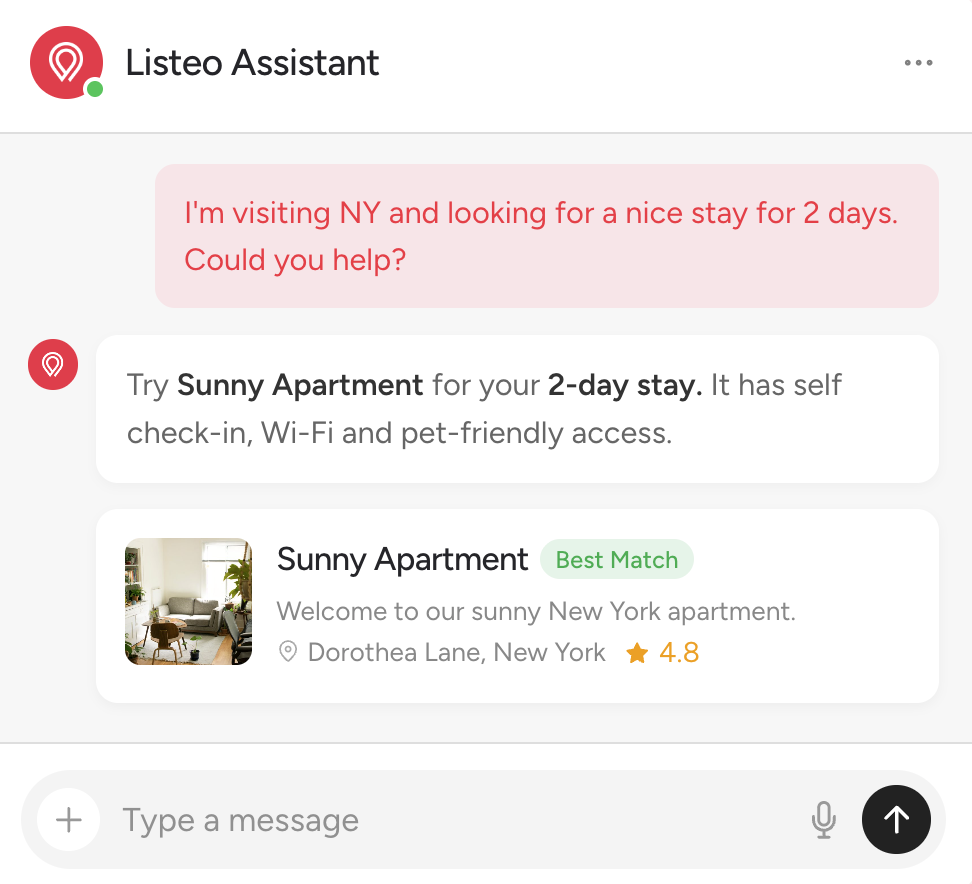
Built In AI Chat
AI Chat porta la comprensione semantica con ricerca nel database in tempo reale, rendendo la tua directory più facile da usare e aumentando il coinvolgimento dei visitatori.
Scopri Lisa, l'IA integrata in Listeo Editor
Nel Listeo Editor crei moduli, filtri di ricerca e campi degli annunci. Lisa lavora lì: dille cosa serve alla tua directory e configurerà tutto per te.
- No API key neededOpen Listeo Editor and ask Lisa
- Forms and filters by askingConditional fields, taxonomies too
- Nothing changes without youLisa proposes, you apply or undo
Demo: in Listeo Editor you ask Lisa to add Condition to car listings and ask for mileage only on used cars. Lisa adds Condition and Mileage to the Add Listing form, with a rule so Mileage is shown only when Condition is Used, and adds both as filters to the search form, where Mileage follows the same rule. Preview then shows the search form as visitors see it: Mileage appears after choosing Used.
Your own listing taxonomies, like Fuel or Brand. Place them in Add Listing Forms and Search Forms.
lt_makeModels lt_model- New listing type "Car" (plural "Cars"), slug car.
- Booking: No Booking.
- It gets its own category taxonomy.
- New taxonomy "Make" (plural "Makes"), internal name lt_make.
- New taxonomy "Model" (plural "Models"), internal name lt_model, child of Make.
- Listing types: Car.
- "Year" (text), id _year.
- "Fuel type" (select), id _fuel_type.
- "Gearbox" (select), id _gearbox.
SMART TOOLS
Directory comprensibile a persone e IA
Review highlights sum up what guests say, and AI assistants like ChatGPT get a clean copy of every listing.
Markdown for AI Agents
- ChatGPT, Claude and other AI get a clean copy of each listing
- No menus, scripts or maps to dig through
- Faster and cheaper for AI to read your details
Comparison: without the add-on, AI assistants get the full HTML page with menus, scripts and maps, which is heavy, slow and costly to read. With the add-on they get a clean Markdown copy with the name, address, opening hours and rating, which is light, fast and cheap to read.
Riepilogo recensioni con IA
AI reads a listing's reviews, including Google reviews, and sums up the main pros and cons in one short card on the listing page, written in your site's language.
Example card: AI Review Highlights for a diner with three pros (Delicious and Affordable Food, Friendly Atmosphere, Generous Portions) and one con (Busy at Weekends).