How to Add ChatGPT Plugin to WordPress
Most articles about a ChatGPT Plugin for WordPress mix two different things: AI writing tools and visitor-facing chatbots.
If you want ChatGPT to draft blog posts in your admin panel, that is one use case. But if you want a chatgpt wordpress plugin that answers visitor questions, searches your site, recommends products, and works without coding, you need a different setup.
There is also a third option: use a WordPress MCP plugin to connect ChatGPT directly to your site, then let it create drafts, manage approved content, or work with WooCommerce data through controlled permissions.
PurioChat is built for that second job. It turns ChatGPT, Gemini, Mistral, or OpenRouter models into a WordPress AI chatbot that understands your own pages, posts, docs, and WooCommerce products.
What a ChatGPT WordPress Plugin Should Do
A real AI chatbot plugin for WordPress should not just send generic prompts to an AI model. That gives you generic answers.
The useful version connects AI to your site content. That means it can answer questions like:
- “Do you ship to Germany?”
- “Which product is best for a small apartment?”
- “Where is your refund policy?”
- “Can I book an appointment next week?”
PurioChat does this with RAG and vector embeddings. In plain English, it reads your content, stores meaning-based data, then uses that context when replying. If you want the technical version, read our guide to how RAG and vector embeddings work.
How to Add ChatGPT to WordPress? Download PurioChat
You do not need a developer or custom code. The setup takes about five minutes:
- Download and Install the plugin on your WordPress site – upload, activate, done.
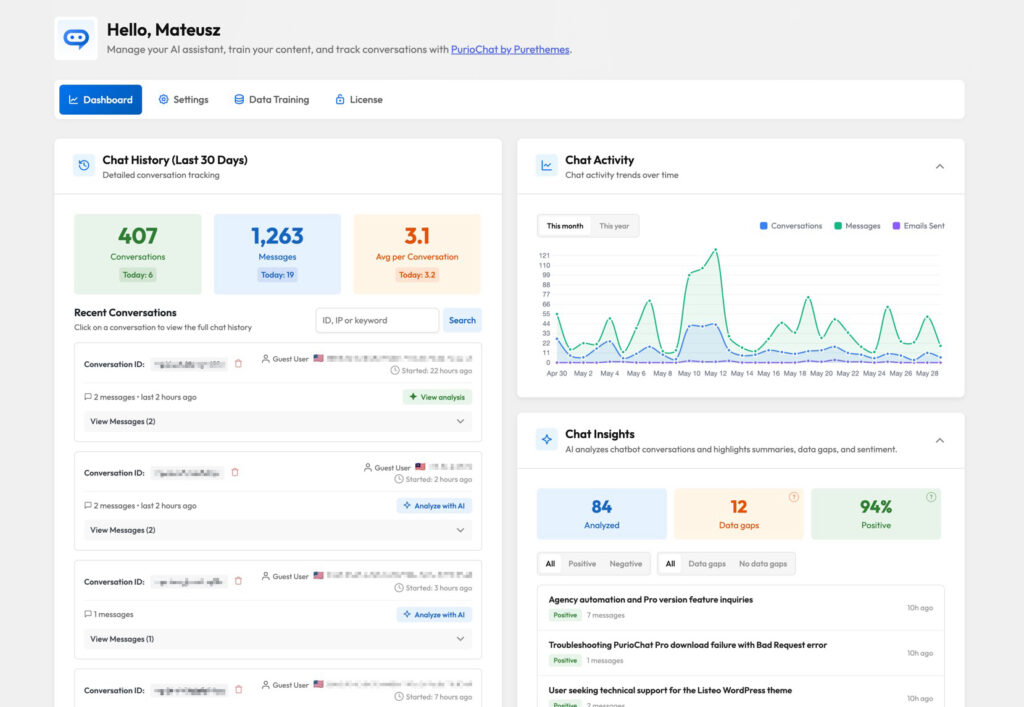
- Connect your AI provider. You can use OpenAI (ChatGPT), Gemini, Mistral, or OpenRouter. You only need an API key from your chosen provider – paste it into the plugin settings.
- Select what content to train on. Pick pages, posts, WooCommerce products, documents, or custom post types. The more relevant content you include, the better the answers.
- Click Start Training. The plugin reads your content, creates embeddings, and indexes everything for semantic search. For a typical site, this is under five minutes.
- Place the chat widget on your site – it appears as a floating bubble visitors can open from any page.
- Test real questions before sending traffic. Ask your chatbot the same questions customers email you. Fix gaps in your content if answers are weak
The key difference between a useful chatbot and a generic one is training. Without site context, ChatGPT answers from general knowledge. With RAG, it pulls answers from your pages, FAQs, policies, and product data. That is also why semantic search for WordPress matters – visitors searching for “cheap running shoes” still find products named “budget jogging sneakers.”
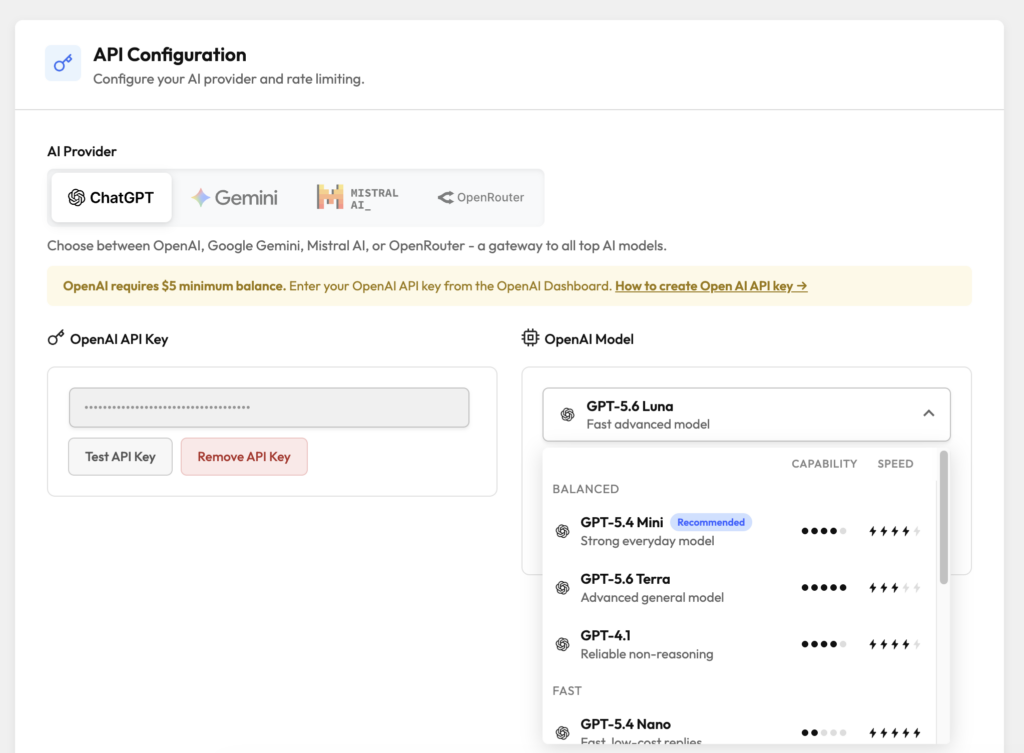
After launch, check your chat logs once a week. Look for questions the bot could not answer, then add that missing content to your site. The chatbot gets smarter over time as you fill those gaps. For a deeper walkthrough with real data, see our guide to training an AI chatbot on WordPress content.
PurioChat handles all of this as a native WordPress plugin – no external dashboards, no monthly SaaS bill. It comes with AI chat, semantic search, WooCommerce product recommendations, image input, speech-to-text, and one-time pricing. For the full feature breakdown, see the PurioChat product page.
How Much Does the OpenAI API Cost for a WordPress Chatbot?
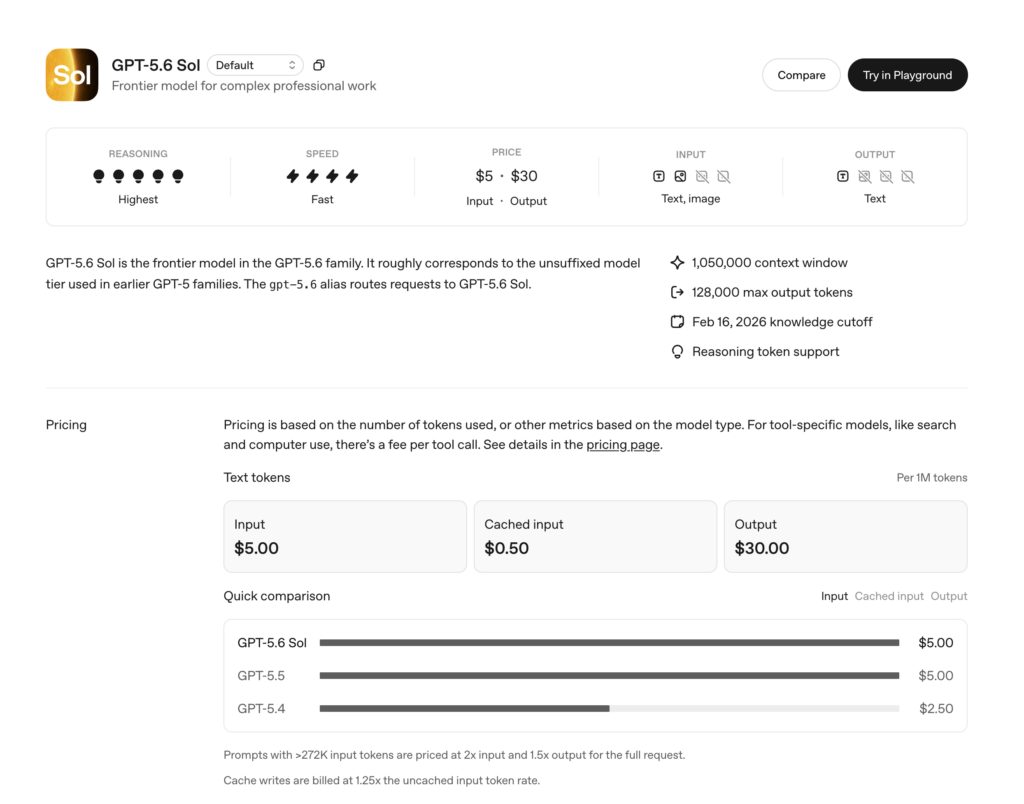
For most small WordPress sites, the OpenAI API can cost around $1 per month or less. You pay only for the tokens used by each reply. There is no fixed OpenAI chatbot subscription.
OpenAI lists the following standard short-context API prices per 1 million tokens:
| Model | Input | Cached input | Output | Approx. replies from $5 |
|---|---|---|---|---|
| GPT-5.6 Luna | $1.00 | $0.10 | $6.00 | About 3,000 |
| GPT-5.6 Terra | $2.50 | $0.25 | $15.00 | About 1,400 |
| GPT-5.6 Sol | $5.00 | $0.50 | $30.00 | About 700 |
| GPT-5.4 | $2.50 | $0.25 | $15.00 | About 1,400 |
That means a $5 API balance can cover roughly 3,000 short replies with GPT-5.6 Luna. Most small sites do not generate 3,000 AI replies every month, so the same $5 often lasts for many months. Check the current rates on the official OpenAI API pricing page, because model prices can change.
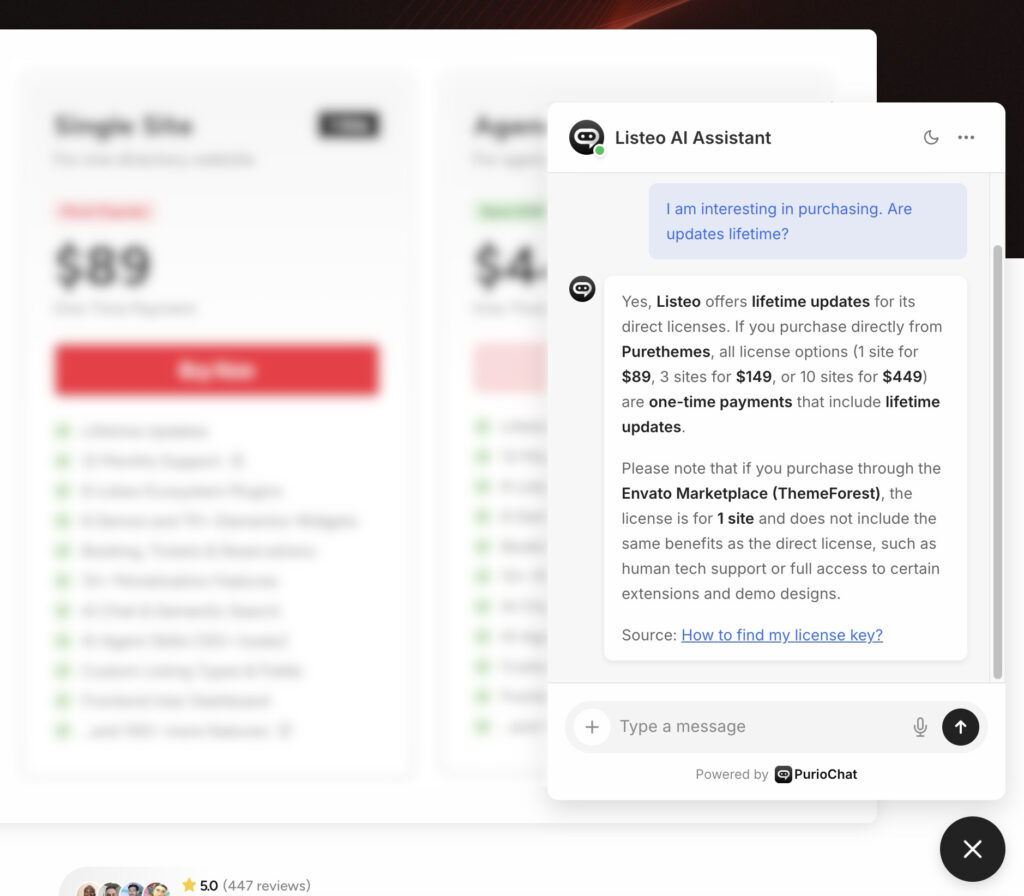
This is the main cost advantage over many SaaS chatbots. A hosted platform may charge $50, $100, or more each month while the underlying AI usage costs only a few dollars. With PurioChat, you buy the WordPress plugin once and pay the AI provider directly for what visitors actually use.
Training Your WordPress Content Costs Almost Nothing
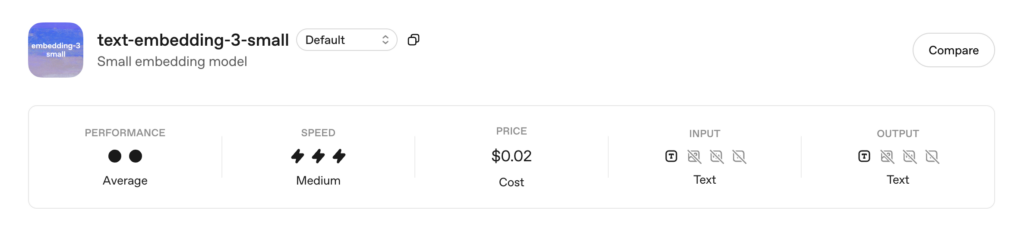
Training in this setup means creating embeddings for your pages, posts, documents, and products. OpenAI’s text-embedding-3-small model costs $0.02 per 1 million tokens. One English word is roughly 1.3 tokens on average, so even a 100,000-word website costs less than one cent to index. You may pay that tiny amount again when content is retrained, but it is not a meaningful monthly expense for a typical site.
GPT-5.6 Luna vs Terra vs Sol: Real Documentation Test
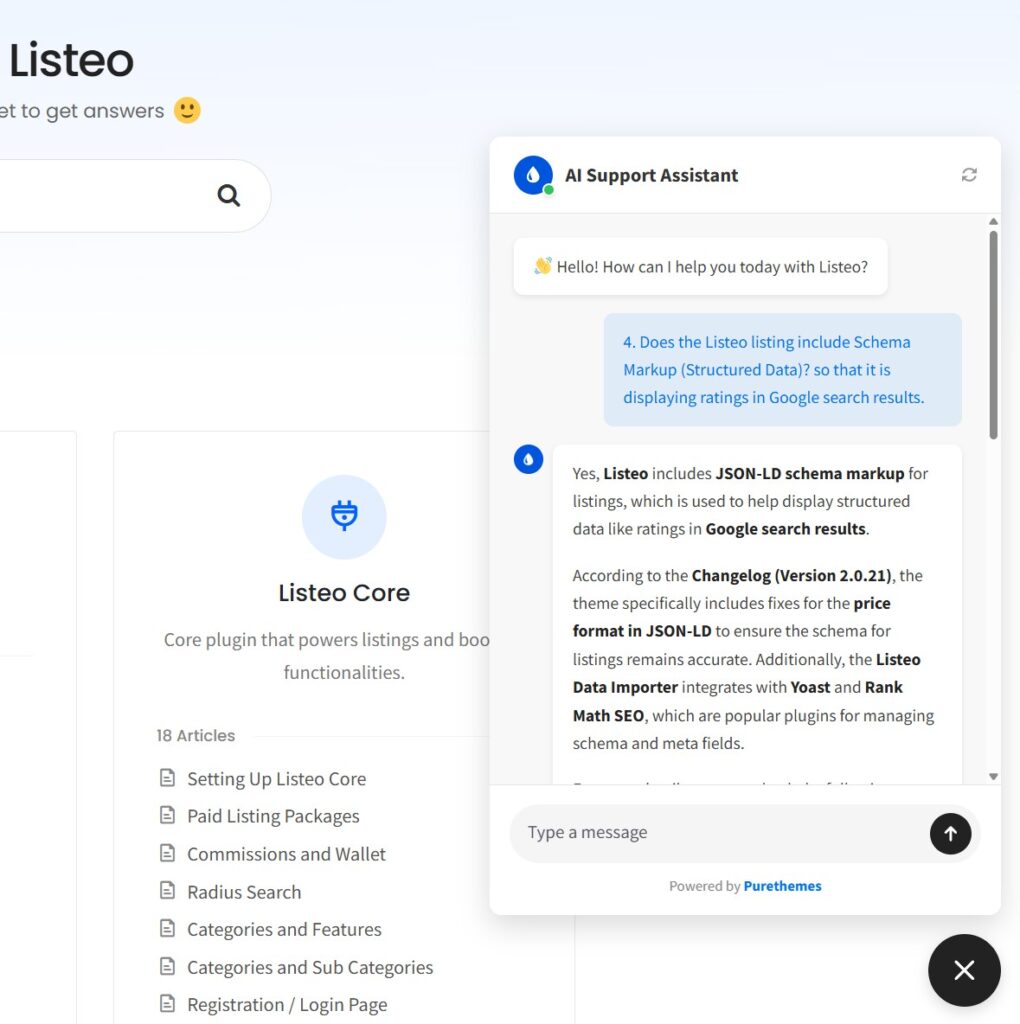
We gave each model the same six questions based on the Listeo documentation, with no web access or tools.
| Test | GPT-5.6 Luna | GPT-5.6 Terra | GPT-5.6 Sol |
|---|---|---|---|
| Booking setup | 10 | 10 | 10 |
| Paid listing packages | 10 | 10 | 10 |
| iCal details | 10 | 10 | 10 |
| Custom field workflow | 9 | 10 | 10 |
| Commission and payouts | 10 | 10 | 10 |
| Hallucination check | 9 | 9 | 9 |
| Average | 9.7 | 9.8 | 9.8 |
Terra and Sol tied. Luna missed one small detail, while Sol’s higher price produced no advantage in this test.
Best WordPress AI ChatGPT Features to Compare
Not every wordpress ai chatbot plugin is built the same way. Here is the quick version.
| Feature | PurioChat | Typical ChatGPT WordPress Plugin |
|---|---|---|
| Visitor-facing chat | Yes | Sometimes |
| RAG on WordPress content | Yes | Often missing |
| Semantic search | Yes | Rare |
| AI providers | ChatGPT, Gemini, Mistral, OpenRouter | Usually OpenAI only |
| WooCommerce support | Product search and recommendations | Basic FAQ chat |
| Pricing model | One-time payment | Monthly SaaS or usage caps |
| Image and voice input | Yes | Usually text only |
Monthly chatbot tools can make sense for big teams. But for many WordPress owners, the math is simple. A one-time plugin is easier to budget than another $50 to $400 per month tool. We covered that in our guide to WordPress chatbot plugins without monthly fees.
WooCommerce Stores: Sell Smarter with ChatGPT
For stores, the best ChatGPT for WordPress setup is not just a support bot. It is a shopping assistant.
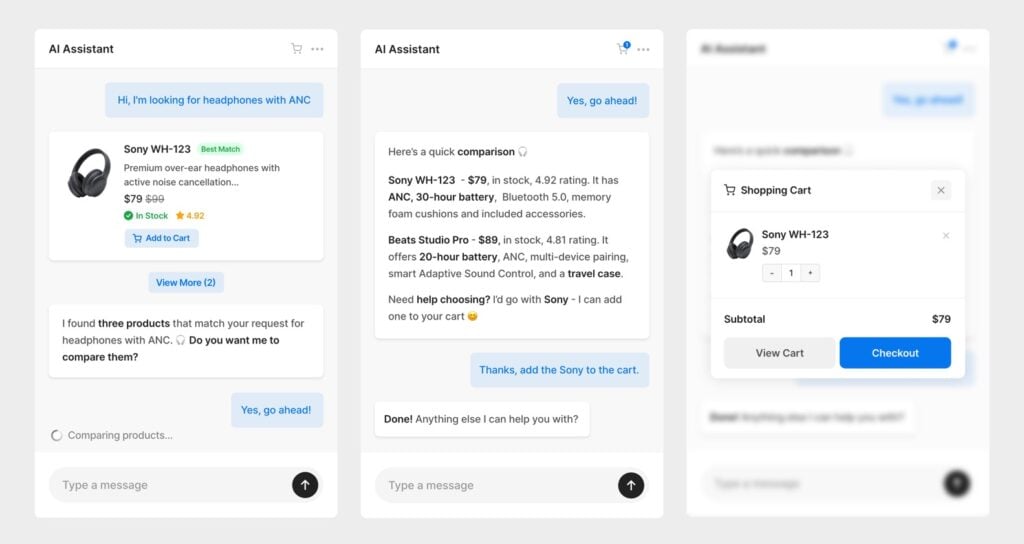
PurioChat can help customers find products by need, not by exact title. A shopper can ask for “a gift under $50 for a coffee lover” or “waterproof shoes for winter walks.” The chatbot can then suggest matching products and answer product questions.
For more store examples, read our WooCommerce AI chatbot comparison where we made real tests of 3 best chatbots available for WooCommerce comparing their abilities to find products etc.
Bottom line: If you need an AI writing assistant, many plugins can help. If you need a WordPress chatbot that understands your site, supports WooCommerce, and avoids monthly SaaS fees, PurioChat is the better fit.
FAQ
How do I add ChatGPT to WordPress?
Install a WordPress AI chatbot plugin, connect an AI provider such as OpenAI, Gemini, Mistral, or OpenRouter, then train it on your site content. PurioChat handles this without custom coding.
Is there a free ChatGPT WordPress plugin?
Some free plugins exist, but they often have limited features, API setup work, or paid add-ons. Also remember that AI providers may charge for model usage separately.
Does ChatGPT work with WooCommerce?
Yes, if the plugin connects AI to your product catalog. PurioChat supports WooCommerce product search and AI product recommendations.
Can I use Gemini or Mistral instead of ChatGPT?
Yes. PurioChat supports multiple providers, including ChatGPT, Gemini, Mistral, and OpenRouter, so you are not locked into one AI company.